


Designing An Attractive and Truly User-Friendly Website!
A good website is not just a mere online presence but a tool connecting you to your audience, communicating effectively with it, and pushing users to interact with your brand. The true magic of any website, however, lies in how easily the visitor can navigate it. In this age, where experiences are determined online, a user-friendly website is not a convenience but a necessity in determining trust, credibility, and customer satisfaction.
Just imagine landing on a website with information that has to be uncovered as if from a puzzle, or where pages seem to take eons to open. That must be frustrating. But when users navigate through a user-friendly website, every bit of work appears intuitive and seamless.
The process of developing a website that is user-friendly balances functionality, speed, design, and accessibility into one package, meaning that the ability to navigate from a laptop or tablet to any smartphone should come easily. Its purpose is to provide a smooth experience with visitors staying focused rather than walking away because things are too technical or complex.
In this blog, we will break down what it means to develop a truly user-centric website. We will explore key characteristics such as effective navigation, mobile compatibility, and fast load times. Plus, we will share practical tips on how to design a site that is simple, accessible, and logical - everything your users are looking for. Whether you want to create a new website from scratch or work on a currently existing one, usability is a sure-shot approach to get your audience going back for more.
Let's start with the very basic elements that make up a user-friendly website and transform your website to be powerful and engaging, as well as user-centered.
What is a User-Friendly Website?
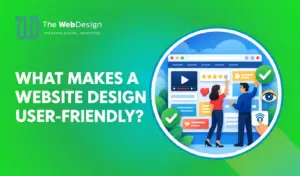
You need to develop a website that gives its visitors an effortless and enjoyable experience. They are consequently more likely to find what they want and easily get what they want to do without frustration. It is, thus, more about how the site works and the feeling it elicits in its users rather than being about good looks and glamour. A user-friendly website would predict the needs of its audience and provide an effortless experience whether one is visiting the site for the first time or has been to the site several times.
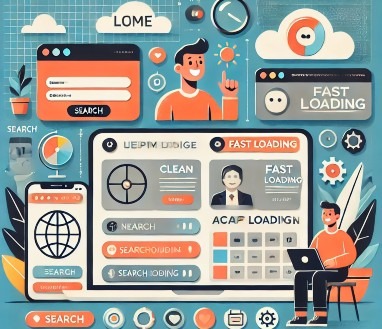
A friendly website, therefore, embodies simplicity and clarity. It refuses to have much noise clutter; its design would remain clean, hence focused only on what it's meant to serve the user's purpose. It understands whom to serve: its target market and its needs in terms of content, design, and functionality. It must help the visitor who has come and should feel safe while navigating it and finding out information or fulfilling the purpose, like completing forms or shopping.
Another characteristic of a user-friendly website is accessibility. It accommodates all users, even those with disabilities, as long as it complies with the standards of web design and makes sure that as many people as possible can use the site. It's also reliable because it works flawlessly without bugs or errors that would disrupt the user experience.
Finally, a usable website is attractive and trustworthy; the user's wish to continue exploring a site should grow with repeated visits. Above all, by meeting visitors' needs and expectations, a truly usable website can make audiences a meaningful channel of interaction. Let us now have a detailed look at some of the important characteristics before developing a website.
Essential Characteristics of a User-Friendly Website
The easy-to-use site makes visitors comfortable, understood, and empowered during navigation. Attaining this comes through the assimilation of those key features, prioritizing the needs of the user while offering an effortless functionality flow. Below we discuss the very essential characteristics of a truly, every time you visit, there will be surety of enjoying a good visit.
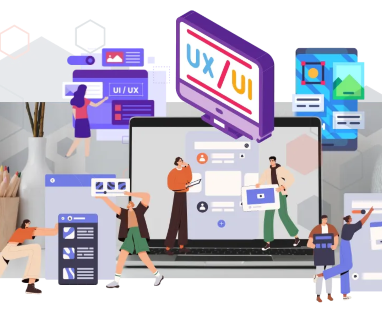
- Effective Navigation: Navigation is what will form the core of the process of developing a website. Users need to be able to navigate a site intuitively to find their desired information or features without getting lost or frustrated. The best way for a well-crafted navigation system is easy, clear, and logical, which enables visitors to access content with a few clicks on menus. A menu should therefore be well structured by categories and subcategories, as the users' common sense dictates. In addition to that, search bars, breadcrumbs, and even clickable logos, which take a user back to the homepage, add to the navigation, so a user never has to get lost or not know where to go.
- Mobile Compatibility: Today, most users are surfing the internet using mobile devices like smartphones and tablets. Hence, aim to develop a website that is mobile-friendly. Responsive design means your website adjusts perfectly according to screen size without any compromise on functionality and aesthetic appeal. Smoother experiences are created when buttons, forms, and menus can be navigated on small screens with the same ease that a desktop website allows; this generally implies an even smoother user experience. Search engine ranking advantage: Websites will not only attract happier users but will also be considered in search results above other desktop sites by mobile-responsive sites.
- Fast Load Times: In today's digital world, speed does make a difference. A slow-loading website frustrates users, who will search for an alternate website very rapidly. So, in such a case, pages should be optimized to load within just a few seconds on all devices that are connected, regardless of their internet speed. Reduce the time when images load - optimize the loading of images within the site's pages by leveraging caching, image compression, and minification of unnecessary code. A quick, user-friendly website keeps visitors holding on to their mice and clicks; it also conveys professionalism and reliability, which is crucial for trust-building with your audience.
- Accessible Design: Accessibility is one of the basic pillars in ensuring that a website is usable for everyone, including persons with disabilities. A fully user-friendly site follows Web Content Accessibility Guidelines (WCAG), ensuring accessibility for people with visual, auditory, motor, and cognitive conditions. Features, such as alt text on images, video transcripts, keyboard-friendly navigation, and appropriate color contrast, make a site more accessible. Accessibility is more than just standards compliance; it shows that your brand cares about creating equal access for all the people who come through your door.
- Reliability in Performance and Security: An easy-to-use website is a responsive one - working every time and in every case, without problems, errors, or broken links. Broken links, error messages, or crashes can quickly ruin the user's trust in your site. Regular testing of the website for performance issues and fixing bugs promptly makes everything smooth for visitors. Another vital component of user-friendliness is website security. It involves implementing HTTPS, using secure payment gateways, and ensuring that there are strong security measures to safeguard your visitors while, at the same time, working towards enhancing credibility and trust.
- Engaging Content Presentation: While you develop a website, remember that content is the soul of any website, and how it is presented really plays a crucial role in enhancing user-friendliness. The content that is very clear, concise, and engaging will help users to find the information they need without being overwhelmed. The use of headings, subheadings, bullet points, and white space will make the content easy to read and scan. Multimedia elements such as images, videos, and infographics would complement this rich, robust experience for the user, especially if applied here and there, not overloaded.
The process of developing a website requires careful attention to detail, empathy towards your audience, and a commitment to delivering a seamless experience. Effective navigation, mobile compatibility, fast load times, and accessible design are some of the essential characteristics that work together to make a website that users love. This is not only about putting up interesting and engaging content, but also about performance and security reliability; you have created an online space for your visitors' expectations and further strengthens your brand presence. A good website for users is not only good for the audience, but great for you.
Tips for Creating a User-Friendly Website
The most important feature of designing any website is making it intuitive for users to not only navigate with ease but also have fun doing it. A good website is not something that looks merely pretty; a user-friendly one prioritizes users' needs, preferences, and behaviors. For users not to get frustrated as they navigate their way through or understand the content, your site becomes an integral part of the brand. Below are some hands-on tips to create a user-friendly website, along with other tips to enhance your design approach.
- Choose User-First Website Design: A user-friendly website is created by adopting the principle of a user-first approach to design. In this sense, the audience's needs, expectations, and preferences will take priority over each decision. For that, understand the target audience: what they're looking for in such a site and how they use a website of a similar kind. In that case, performing user research activities, including conducting surveys, interviews, and usability tests, would prove useful. User-first design involves aligning a website's layout, its features, and its functionality so that they relate to and fit your behaviors.
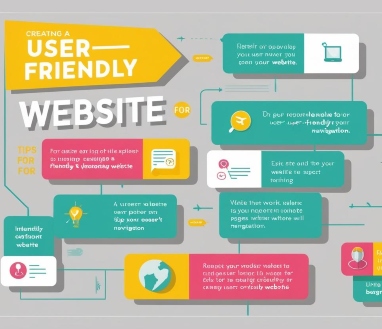
For example, by using visual hierarchy, putting important parts on top creates an environment wherein users have little distraction. When white space has been allocated within elements, users will easily and quickly read, creating a clean page. It promotes a great usability experience, as no visitor gets disappointed.
- Use Accessible Language and Tone: The tone to develop a website should be easy to read and understand, saying the right thing to your audience, and not typically using technical jargon, complex sentences, or industry terms that may confuse visitors. Use straightforward language that is accessible to the general public. An accessible tone is equally as important. Depending on what your website might be- all professional services, creative brands, or just e-commerce it will express a tone toward the target audience. For example, a casual, friendly lifestyle blog could be applied, while a formal legal services website could be the place for a more professional tone. In addition, make the content accessible for various levels of readers or language proficiency with clear headings, short paragraphs, and the use of icons or infographics.
- Keep It Simple: A user-friendly website is a simple one. Too many things on your pages, such as too many flashy graphics, blocks of text, or calls-to-action, can just be overwhelming and cluttered-looking. A clean and minimal design keeps visitors focused on what matters most. Start by cutting out anything that doesn’t directly contribute to the user’s goals or your website’s purpose. This includes unnecessary pop-ups, autoplaying videos, or irrelevant decorative elements. Instead, highlight the most important information or features and keep the user journey as straightforward as possible.
- Make Your Navigation Logical: Site navigation is the determining factor in the usability of a site. Users should know intuitively how to move between pages, find information easily, and know where to go next without much thought. Logical navigation organizes the structure of your site to intuitively make sense to your users. Begin with a user-friendly menu layout, where headings are the general categories of often sought content, and subheading categories contain detailed information. Prevent overstuffing the menu with too many different options; use dropdown menus to group related links under them to keep an organized menu design. Other features could be the back-to-top feature, breadcrumbs for navigation, or a search facility to let visitors have control.
- Feedback Mechanisms: A user-friendly website encourages interaction and values feedback. Adding features like contact forms, chat options, or feedback buttons helps users communicate with you, ask questions, or share their concerns. This interaction not only makes users feel valued but also provides you with insights to improve your site further. Visual feedback is also important while you develop a website. This may be in the form of error messages or confirmation pop-ups. In case a user submits an incomplete form, for instance, an error message will guide him/her to correct the mistake. After an action is performed, for instance, when one has purchased something, a confirmation pop-up may reassure them that their interaction was successful.
- Calls-to-Action Optimization: Effective calls-to-action will steer users to action, perhaps sign up for a newsletter, download an ebook, or buy. For an excellent user experience, ensure your CTAs are clear, visually distinct, and in strategic positions. Do not use too many CTAs. Instead, focus on the most important actions for that page and how it fits into its purpose. In addition, make sure that your CTA buttons are big enough so they can be clicked easily, especially on mobile devices, where elements like this can be challenging to interact with.
- Regular checks and Updates: Updating regularly and maintaining tasks, such as correcting broken links, updating outdated information, and making performance improvements, allow your website to stay functional and user-focused. You can also make sure that it stays aligned with changing audience expectations and technological trends by continuing to iterate through user feedback.
Developing a friendly user website is all about understanding and prioritizing the users. By focusing on user-first design, simplifying your layout, using accessible language, and ensuring logical navigation, you can craft a website that resonates with your audience. Adding consistent visuals, feedback mechanisms, and optimized CTAs further enhances the experience, while regular testing ensures your site stays relevant and functional. Remember, a truly user-friendly website isn't just a digital tool - it's a platform that fosters trust, engagement, and lasting connections with your visitors.
Frequently Asked Questions
A website that allows visitors to surf through it with ease. It is easy to navigate, fulfills the needs of the users, and ensures accessibility, functionality, and reliability.
The Bottom Line
A user-friendly website is much more than a visual appeal. Rather, it presents a seamless, intuitive experience to every visitor; it is that online space in which functionality merges with simplicity as every element meets the needs of the audience. Effective navigation, mobile compatibility, fast load times, and accessible design all build up usability, giving a boost to trust, credibility, and satisfaction.
The WebDesign can help develop a website by first knowing the audience and what they require. By implementing a user-first approach to design, simplifying layouts, using accessible language, and keeping navigation logical, you empower users to easily achieve their goals. Use feedback mechanisms to optimize calls-to-action and regularly update your site as user expectations and technology change.
Accessibility can also not be overemphasized. The most user-friendly website is accessible to everybody, including those with disabilities. It follows accessibility standards and does not just meet compliance requirements. The same applies to fast load times and reliable performance, which ensure a good user experience while at the same time demonstrating professionalism and trustworthiness.
It's more than just a digital tool; it is an extension of your brand values and, by virtue, a door to meaningful relationships with your audience. You exceed expectations by being an experience that flows smoothly, engagingly, and intuitively. Visitors return, but what's also very strong is the strength of your online presence, further leading to business growth and success. A good website invests in your audience, and its impact resonates far beyond the digital realm, fostering long-term connections and loyalty.

Search
Categories
Recent Posts
- 20 Dec, 2024 Building Brand Loyalty: How Custom Mobile Apps Drive Business Success
- 17 Jan, 2025 Designing An Attractive and Truly User-Friendly Website!
- 23 Dec, 2024 Driving Sales Through Online Channels: Transforming Your Business with a Webshop
- 09 Sep, 2024 Enhancing Customer Engagement: The Business Benefits of Mobile App Development
- 23 Dec, 2024 Expanding Market Reach: The Strategic Value of an E-commerce Webshop
- 10 Mar, 2026 Google Review Card: NFC vs QR – What Works Better?
- 01 May, 2026 Google Tools for Websites: A Complete, Detailed Guide for Website Owners, Developers, and Marketers
- 09 Sep, 2024 Harnessing Professional Web Design: Elevating Your Business’s Online Presence
- 13 Jun, 2026 Headless CMS vs Traditional CMS: Which Should Your Business Choose?
- 09 Sep, 2024 How an Online Delivery System Empowers Business Operations
- 07 Aug, 2026 How can a Dutch company get cited in ChatGPT, Gemini, Perplexity, and Copilot answers?
- 18 Sep, 2026 How can I choose a reliable web development company in the Netherlands?
- 07 Sep, 2026 How do I improve local visibility in ChatGPT and Microsoft Copilot, not just Google Maps?
- 20 Jan, 2025 How To Build A Custom Website For Your Business?
- 31 Aug, 2026 How to Choose a Digital Marketing Agency in the Netherlands: Services, Costs and a Practical Checklist
- 20 Jan, 2025 How To Create A Professional Website For Building Online Presence?
- 02 Aug, 2024 How to Plan a Perfect Digital Market
- 25 Jun, 2026 How to Work With a Web Design Agency to Grow Your Online Presence?
- 23 Dec, 2024 Investing in Website Development: Enhancing Customer Engagement and Conversion Rates
- 23 Dec, 2024 Meeting Customer Expectations: The Competitive Edge of an Online Delivery System
- 23 Dec, 2024 Optimizing Logistics: Enhancing Business Agility with an Online Delivery System
- 17 Jan, 2025 Optimizing Your Website with a Website Builder in Amsterdam
- 20 Jul, 2026 Progressive Web Apps (PWA) vs Native Apps
- 22 Apr, 2026 SEO vs GEO: The Future of Search in the Age of AI
- 03 Apr, 2026 The 10 Biggest Mistakes When Building a Website – and How to Avoid Them
- 27 Dec, 2025 The Cost of Getting a Website Made: What You Can Expect in the Netherlands?
- 09 Sep, 2024 The Essential Role of Online Marketing for Businesses
- 20 Dec, 2024 The Power of Digital Storytelling: Leveraging Online Marketing to Connect with Customers
- 23 Dec, 2024 The Strategic Advantage of a Well-Designed Website for Business Growth
- 23 Dec, 2024 Unlocking Market Potential: How Strategic Digital Marketing Propels Business Success
- 09 Sep, 2024 Unlocking Revenue Streams: Establishing an Online Webshop for Your Business
- 06 Jul, 2026 Web Performance Optimisation: Core Web Vitals
- 22 Oct, 2026 What Happens After Your Website Goes Live? A Guide to Aftercare and Support
- 03 Aug, 2026 What is an E-commerce Website and How Does It Work?
- 27 Mar, 2026 What is sitemap.xml and Why Is It Important for SEO?
- 15 Apr, 2026 What Is the Difference Between Shopify and WordPress?
- 15 Jan, 2026 What Makes a Website Design User-Friendly?
- 30 Jul, 2026 What’s Allowed/Not Allowed With Google Reviews?
- 21 Mar, 2026 What’s Involved in Having a Website Created: A Step – by – Step Guide
- 27 Feb, 2026 What’s Involved in Having a Website Created: A Step-by-Step Guide
- 21 Jan, 2025 Why Consider WordPress for Website Builder?
- 21 Jan, 2025 Why Do Businesses Hire WordPress Website Builder Companies?
- 20 Jan, 2025 Why Does Your Business Need a Local Web Design Agency?
- 12 Aug, 2026 Why Is My WordPress Website Slow and How Can I Fix It?
- 11 Dec, 2025 Why You Should Have a Professional Website Built in 2026: What’s Changing?