


What Is the Difference Between Shopify and WordPress?
Shopify or WordPress - if you've been going back and forth on this, you're not alone. A lot of people get stuck here because both platforms cover the basics. You can build a website on either one, post content, change how things look, and sell products. So on paper, they seem pretty interchangeable.
Here's the simplest way to think about it. exists to help you sell things. That's what it was designed for, that's what it's optimized for, and that's where it shines. WordPress, on the other hand, started as a blogging platform back in 2003 and has since grown into something much harder to put in a box. Because it's open-source, developers and site owners have turned it into pretty much everything - news sites, portfolios, membership platforms, and yes, online stores too.
That difference in origin and purpose is what makes every other comparison between the two actually matter. It's not just about features. It's about what kind of experience you're signing up for.
With Shopify, someone else handles the infrastructure. Hosting, security, updates, payment processing - it's all managed for you. You log in and run your store. With WordPress, you're in charge of a lot more. You pick your hosting, you manage updates, and you choose and maintain your plugins. That's either a great thing or an exhausting thing, depending on who you are.
Understanding Shopify in Simple Terms
Shopify is an all-in-one commerce solution. The concept behind it isn’t complicated - provide business owners with everything they need to begin selling, run their businesses, and grow, all in a central location. You create an online store, add and manage products, process payments, manage inventory, set up shipping, and sell across social networks and marketplaces - and you can even do in-person sales via its point-of-sale tools. Of course, being a cloud-based platform that’s fully hosted means you won’t be going out and sourcing separate web hosting, installing anything on a server, or worrying about keeping the platform updated. All of that is handled behind the scenes by Shopify.
Why does this matter? Shopify is not a website builder with a shop overlay added on top. It's built around commerce first. The moment you log in to your Shopify dashboard, everything revolves around sales - products, orders, consumers, payments, shipping taxes, and conversions. The templates, app store, and built-in tools all get you there. You can also create standard pages and publish articles, but those things really happen within what is fundamentally a store and business management context.
You’re not cobbling together different tools to handle vital functions such as hosting, security, payment processing, checkout, and inventory management. One vendor covers it all. That’s a huge deal to people who want to focus on their business, not the technology running below it - and it’s one of the most significant reasons why Shopify has developed its reputation.
Understanding WordPress in Simple Terms
It is not fundamentally “a store platform.” It is a website platform that can be turned into just about anything with themes, plugins, custom code, and integrations. If you wish to add e-commerce capabilities to WordPress, you typically do so by installing WooCommerce, an e-commerce solution for WordPress that enables products, cart, checkout, and payment functionality in a storefront. WooCommerce has positioned itself as an open-source commerce platform for WordPress that lets you customize checkout, data, costs, features, and hosting.
There is also WordPress. This outline is on WordPress. org. WordPress. com is a managed hosting service that revolves around WordPress by providing a bundled offering of hosting, security, and plan-based functionality. That makes WordPress. com is a little more like Shopify than self-hosted WP. org setup. But when people compare “Shopify vs WordPress,” they are really referring to Shopify versus self-hosted WordPress and WooCommerce for e-commerce.
The Biggest Difference: Hosted Commerce Platform vs Open-Source CMS
If there’s one thing to take away from this article, it’s this: Shopify is a managed, hosted commerce platform; WordPress is an open-source CMS that you host and mold yourself.
That difference has implications for every other comparison:
- Shopify provides you with an on-demand selling ecosystem.
- With WordPress, you have a flexible base to build on.
- Shopify takes care of the technical underpinnings for you.
- With freedom comes responsibility, and that is what WordPress offers.
- Shopify was designed for convenience and rapid commerce deployment.
- WordPress is a meta-forging for ownership, personalization, and other content flexibilities.
With Shopify, particularly as a non-technical user, the platform itself decides so much of that structure, and that's great. With WordPress, you have a larger say in the structure of things, which can be an advantage for technical users and agencies or publishers and business owners with increasingly custom needs.
Ease of Setup and Getting Started
For most amateurs, using Shopify is easier. When you sign up, the platform walks you through a setup of adding your first product, customising your theme, setting up payments, and launching your store. Hosting is already included. The admin is already prepared. There already is a checkout system. The majority of major selling tools are already integrated within the same environment. This is also why, for e-commerce newcomers, Shopify is often seen as faster to launch.

WordPress has an alternative onboarding journey. The first step is usually to select a hosting provider and a domain. Then you install WordPress. After that, you select a theme, set up basic settings, install plugins, and decide what your site needs to become. So, if you additionally want ecommerce features, you install WooCommerce and proceed with product and payment gateway set up, along with your shipping setup (site settings - taxes, etc.) None of this is impossible, but it’s a more modular and therefore more demanding process.
So if your priority is “I want to start selling as quickly as possible without technical setup,” Shopify usually wins. If your priority is “I want a flexible platform I can shape exactly the way I want,” WordPress makes more sense.
Core Purpose: Selling vs Publishing and Building
Shopify was designed around commerce. The platform is built around product catalogs, variants, collections, inventories, order processing, customer records and data, discounting & pricing rules for the products sold via a website/storefront or over the counter with point of sale, including fulfilment capabilities. The business logic is hard-coded since the outset.
The whole idea of WordPress was for publishing and managing your site. The platform comes inherently with posts, pages, categories, authors, media, and theme-based site building. Commerce is doable, but it generally comes in via plug-ins like WooCommerce. That means that, naturally, WordPress shines when content is the centerpiece of the project: a publication, resource hub, educational site, or content-heavy brand website.
In other words, Shopify starts with the question, “What are you selling?” WordPress starts with the question, “What are you building?”
That makes Shopify a natural fit for product-first brands, DTC businesses, retail stores, and merchants. WordPress is a natural fit for content-first businesses, service companies, publishers, agencies, consultants, educators, and hybrid brands that need deep editorial control.

Hosting and Technical Responsibility
Hosting is included with Shopify right out of the box. Shopify’s pricing and platform materials offer unlimited hosting, SSL, and a cloud-based managed environment. Shopify also indicates that it is fully cloud-based and hosted, so users never have to think about servers or upgrading their software.
This means that Shopify users have to lose little sleep over things like server stacks, patching, uptime engineering, CDN options, or core software maintenance. For many businesses, this simplicity is incredibly beneficial because it minimizes risk and saves time.
With self-hosted WordPress, you have to do the hosting. WordPress provides the software, but you decide where and how to host it. This could be shared hosting, managed WordPress hosting, VPS hosting, cloud hosting, or enterprise infrastructure. You also have control over the server-side configuration for caching, backup, nearest server load, firewalls, and many other technical aspects, depending on your setup.
This gives WordPress greater freedom, but it also introduces more decisions. A well-managed WordPress site can be extremely fast and robust. A poorly managed one can be slow, insecure, or difficult to maintain. Shopify removes a lot of that variability by standardizing the environment.
E-commerce Features Out of the Box
One of the strongest benefits Shopify has is being natively ready for e-commerce. The ecosystem already includes product management, collections, carts, checkout, order processing, customer profiles/addresses/shipping tools (build your own), analytics, and payment integrations. However, you don’t need to assemble e-commerce from scratch. Shopify also enables sales across web, mobile, social media, marketplaces, and physical retail channels.
WordPress is totally capable of running serious e-commerce, but it usually runs that on WooCommerce. WooCommerce provides the complete shopping layer onto WordPress with everything you’ll need: products, cart, checkout, payments, and even inventory management. WooCommerce markets itself as a flexible e-commerce solution for WordPress builds of all sizes and claims freedom from checkout, data, features, and host selection.
The practical difference is this:
- Shopify e-commerce is native.
- WordPress e-commerce is extended.
This does not render WordPress weaker by default, but it does mean that e-commerce on WordPress is extensible and therefore increasingly dependent on the quality of your plugin stack, hosting, and implementation. Shopify, on the other hand, provides you with a more standard commerce experience from minute one.
If launching a store quickly with only the most essential moving parts is your whole business, Shopify’s easier. If your e-commerce model is unique, content-heavy, or highly tailored, WordPress + WooCommerce can give you more freedom.
Blogging and Content Management
WordPress has a strong reputation in this regard. WordPress was, and remains, built for publishing and content management. It is exceptionally strong for blogs, magazine- and centered-resource-style websites, and SEO-focused content operations due to its post organization, editorial flexibility, page structure, categorization and tagging, and content workflow capabilities.

So while Shopify has blogging capabilities, blogging is not the focus of its platform. You can publish articles, create pages, and support content marketing here, but the content system is not as deep or as editorially inclined as WordPress. Shopify’s content tools are typically “good enough” for store blogs, marketing updates, product education, and brand storytelling - but not the reason most users select the platform in the first place.
So if you are building a true content machine where blog structure, publishing control, content depth, and editorial flexibility are central to growth, WordPress usually has the edge. If your blog supports a store rather than leading the business model, Shopify’s blogging tools may be sufficient.
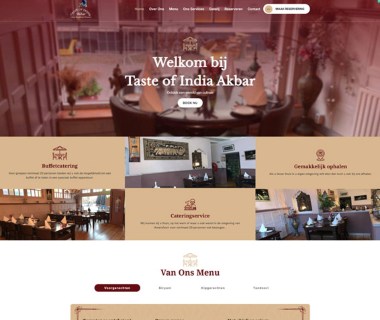
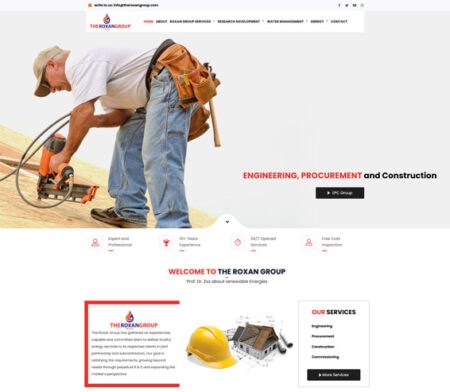
Our Websites Made for Amsterdam Companies

Themes, Design, and Visual Control
Both Shopify and WordPress support themes, but the ecosystems are different.
Shopify has its own theme store with both free and paid themes focused on online stores. These themes are designed to launch e-commerce websites within their commerce environment, and their official theme marketplace makes it clear as well.
Which means Shopify themes are typically commerce-aware out of the box. Product pages, collection pages, filters, promotional sections, and, naturally, carts and store merchandising. This is a big benefit for e-commerce brands because the design logic aligns perfectly with store needs.
WordPress has thousands of themes available through its theme directory, and many more through premium vendors and custom development. WordPress emphasizes a wide variety of designs and customization options. Because WordPress is general-purpose, its themes can support almost any site type, not just stores.
As a result, WordPress usually offers broader design variety overall, while Shopify offers more ecommerce-specific design alignment. If you want a beautifully packaged store design with fewer structural decisions, Shopify is appealing. If you want full control over design architecture across any type of site, WordPress offers more breadth.
Meet our team

Vinit Uniyal
Project Manager

Kulwant Singh
Web Developer

Vanjul Narula
Graphic Designer

Vikas Deori
SEO Manager
Apps, Plugins, and Extendability
This is one of the most important differences.
Shopify also has an app ecosystem with the Shopify App Store, where you can add marketing tools, store design improvements, fulfillment integrations, subscriptions, reviews, analytics, and so much more. According to Shopify’s own materials, the app ecosystem is a way to customize your store and grow your business.
WordPress has a much bigger plugin ecosystem for general website features. WordPress. The org’s plugin directory describes thousands of free plugins that let you build, customize, and enhance a site. These include SEO, performance, form, membership, and LMS features, multilingual support, forums, custom fields, and just about everything else you can imagine.
The difference is not simply “both have extensions.” The difference is in philosophy:
- Shopify apps extend a controlled commerce platform.
- WordPress plugins extend an open framework.
Shopify’s system is more curated and more constrained. That often means fewer compatibility headaches, but also less total freedom. WordPress’s plugin ecosystem is broader and more open. That gives you more power, but it also means you must be more careful about plugin quality, conflicts, update cycles, and performance impact.
Customization and Developer Freedom
If your goal is convenience, Shopify’s boundaries can feel helpful. If your goal is deep customization, those same boundaries can feel restrictive.
Sure, you can customize your theme, integrate apps, and even do some work developing yourself on Shopify - but if you do any of this, you’re still doing it inside Shopify’s platform rules and hosted infrastructure. You are extending on top of Shopify’s system, not supplanting the system.
WordPress, on the other hand, is open source software built to be modified and extended. The platform’s own message emphasizes software freedom and the option to install, modify, use, and distribute it however you like.
This provides developers with much greater flexibility with WordPress. You build ‘post types’, fully custom themes, headless stuff, workflow fancy at background, specific user roles, complex content models, and integrations that go deep. You can use your own development practices, deployment strategy, and infrastructure stack.
So, for custom web projects, WordPress usually wins on raw freedom. Shopify wins on structured efficiency.
Pricing and Cost Structure
Shopify and WordPress differ significantly in how costs appear.
Shopify has plan-based pricing. Its pricing docs package hosting and access to the platform into recurring subscriptions; Shopify’s plan documentation states that price plans, billing cycles, and credit card rates differ by plan. In addition, Shopify says the overall environment also includes hosted infrastructure, SSL, and support.
WordPress. The org software is free to download and use, but generally, the outside costs for your actual website are spread out among: hosting, domain registration, premium themes, premium plugins, developer work (if needed), maintenance (if needed), backups (depends on whether you want automatic or not), security tools, and ecommerce extensions if necessary.
This creates a very important distinction:
- Shopify has clearer upfront platform pricing but often adds costs through apps, premium themes, and transaction-related considerations.
- WordPress can start very cheaply in software terms, but may become more expensive depending on hosting quality, plugin stack, and customization needs.
There is no universal rule that one is always cheaper. For a straightforward store launched quickly by a small business owner, Shopify may be more cost-efficient because it reduces technical overhead. For a content-heavy business or custom site that would otherwise require many paid Shopify apps and platform workarounds, WordPress may offer better long-term value.
Payment Processing and Transaction Considerations
Shopify has its own payment system, known as Shopify Payments, and it documents that third-party transaction fees do not apply to orders processed through Shopify Payments when used. Shopify also notes that using a third-party payment provider may incur transaction fees, depending on payment setup and plan.
This is a huge operational play for them because it means that Shopify isn’t just a storefront builder, it’s deeply embedded in payment flow, and the economics of checkout. For some merchants, an integrated setup is convenient and efficient. For others, particularly for businesses with certain payment preferences or regional needs, the platform’s fees and payment logic of payments can become a decision-making element.
With WordPress and WooCommerce, payment flexibility is often broader because you can choose from many gateways and build your own stack in a more open environment. WooCommerce’s positioning emphasizes control over checkout, costs, and payment choices. So if you want a streamlined, built-in payment experience and are comfortable working within Shopify’s ecosystem, Shopify is strong. If you want greater checkout and payment flexibility, WordPress with WooCommerce may be more attractive.
Security and Maintenance
With Shopify’s hosted model, the responsibility for much of the core security and infrastructure falls with the platform. As per Shopify, it secures connections to the store and admin using TLS while also giving stores secure HTTPS connections through certificates.
This is a huge benefit for the store owner because some security has been abstracted away. You still need effective operational habits — good passwords, limited access — but a lot of that heavy lifting is not your responsibility at the platform level.
WordPress security is different. WordPress takes security seriously and publishes official security and hardening guidance, but it also makes clear that ongoing security depends on keeping WordPress core, plugins, and themes up to date and treating security as continuous work.
In practice, that means WordPress security can be excellent, but it is more operationally dependent on your setup and maintenance discipline. If you ignore updates, install poor-quality plugins, or choose weak hosting, you increase risk. Shopify reduces that burden by managing more centrally.
So the difference is not that “Shopify is secure and WordPress is insecure.” The real difference is that Shopify is more managed, while WordPress requires more active stewardship.
Performance and Speed
Shopify’s hosted architecture gives it an advantage in consistency. Since Shopify controls the environment, it can optimize platform behavior across hosting, delivery, and store infrastructure more predictably. Its official pricing and platform materials emphasize hosted infrastructure and reliability.

WordPress performance depends heavily on your implementation. Good hosting, caching, image optimization, theme quality, plugin discipline, and database management can make a WordPress site extremely fast. But because WordPress is flexible, performance outcomes vary more from site to site.
So Shopify tends to offer easier performance consistency, while WordPress offers higher variability. Skilled teams can make WordPress perform exceptionally well, but beginners may find Shopify easier to keep stable and fast.
SEO Potential
Both Shopify and WordPress can support strong SEO, but they do so in different ways.
WordPress has historically been favored by content marketers and publishers because of its content-centric architecture, editorial depth, and plugin ecosystem. With the right SEO plugins and site structure, WordPress provides detailed control over content optimization, metadata, technical SEO settings, and content organization. Its strength comes from flexibility.
Shopify helps SEO as it allows store content, theme, apps, and built-in commerce structure to be edited. Shopify’s platform has SEO-focused apps and assists with store marketing. Again, tho, Shopify’s SEO is tailored to store growth primarily and not editorial publishing at the level or variety that WordPress folks tend to go for.
In practical terms, this means: with content-led SEO strategies, WordPress generally offers greater flexibility. Shopify is more than enough, and easier to manage, for e-commerce SEO on a routine online shop.
Ownership, Portability, and Control
Ownership is one of the most meaningful philosophical differences.
WordPress, being open source, gives you very high control over your website software and hosting choices. WooCommerce also emphasizes that the freedom of open source means you retain ownership of your store’s content and data.
Shopify gives you a powerful platform, but it is still a proprietary service environment. Your business runs on Shopify’s system, according to Shopify’s product structure, billing model, and platform constraints. That is not necessarily a problem; many businesses are happy to make that trade. But it is a real difference.
If long-term independence and infrastructure control matter deeply to you, WordPress has the advantage. If you would rather trade some control for simplicity and managed operations, Shopify is often the better experience.
Scalability
Both platforms can scale, but in different ways.
Shopify is designed for businesses of any type, from small mom-and-pop operations to large retail enterprises, and if your needs are more enterprise-level, you can go with Shopify Plus. Shopify’s own materials mention support for multichannel selling, analytics, multiple inventory locations, and enterprise-oriented plans.
WordPress also scales well, but the journey is not determined primarily by your content management system — it depends more on your hosting and your architecture, as well as the technical resources at your disposal. Because WordPress is open and extensible, it can work for very small sites or for huge content operations. WooCommerce also advertises itself for small to large stores.
Well, in that case, Shopify scales via managed platform maturity. Its implementation quality and technical design help WordPress scale. For standard commerce, it is easier to scale operationally on Shopify. WordPress can scale brilliantly, too — but it usually calls for more manual muscle.
Support and Community
Supporting its proprietary service model, Shopify offers centralized platform support and highlights 24/7 availability in its plan materials. The Help Center is categorized in terms of store operations, billing and payments, themes, shipping, analytics, and general business tasks.
WordPress has a huge worldwide community, with forums, documentation, events, and a vast ecosystem of developers and agencies. But support is more distributed because WordPress itself is open source. Support may be from documentation, a community forum, the hosting provider or plugin vendor, an agency, or even freelance developers—the platform owner(s) are only one part of this much larger ecosystem.
So Shopify’s support model is more centralized and service-oriented. WordPress’s support model is more community-driven and ecosystem-driven.
Learning Curve
Shopify has a gentler learning curve for pure e-commerce beginners because most of the key decisions have been made for you. The platform guides you through the store process in a way that matches business operations.
WordPress has a broader learning curve because you are not only learning “how to run a website” but also often learning how hosting, themes, plugins, backups, security, and sometimes ecommerce extensions all work together. The upside is that once you learn it, WordPress becomes a very powerful foundation.
So Shopify is often easier to learn quickly. WordPress is often more rewarding over time for users who want full control.
Best Use Cases for Shopify
Shopify is usually the better choice when:
- You want to launch an online store quickly.
- You do not want to manage hosting or technical maintenance.
- Your business is product-first rather than content-first.
- You want built-in commerce workflows from day one.
- You prefer a single-vendor ecosystem for store management.
- You need multichannel selling and retail-friendly commerce tools without building a custom setup.
Shopify is especially strong for brands selling physical products, DTC stores, fast-moving ecommerce launches, and merchants who value ease, speed, and operational simplicity.
Best Use Cases for WordPress
WordPress is usually the better choice when:
- You need a content-heavy website with strong editorial flexibility.
- You want full control over hosting, code, structure, and platform decisions.
- Your website is more than a store and may include custom workflows, membership systems, learning areas, or large content libraries.
- You want the freedom of open-source software.
- You need highly tailored site architecture or custom development.
- You want e-commerce, but as part of a broader and more customizable web ecosystem.
WordPress is especially strong for publishers, bloggers, agencies, consultants, service brands, educators, and businesses that need content and customization as much as commerce.
Shopify vs WordPress: The Simple Verdict
If you strip away all the technical language, the difference between Shopify and WordPress comes down to this:
Shopify is easier. WordPress is more flexible.
For users who want a managed, polished, and ecommerce-first system with minimal technical decisions, Shopify is the better-fit alternative. Even if it requires more setup responsibility and maintenance, WordPress is the better option for users who want ownership, scaffolding behavior, and content power.
Neither platform is universally “better.” The better platform is the one that best suits your business model, workflow style, skill level, and growth priorities.
If your goal is to sell products with as little friction as possible, Shopify is usually the smarter choice.
If your goal is to build a highly customizable website or content-driven brand that may include e-commerce, WordPress is usually the stronger long-term foundation.
FAQs
Shopify is generally better for beginners because it is easy to set up and does not require technical knowledge. WordPress has a steeper learning curve but offers more flexibility once you understand it.
Final Thoughts
Many people ask, “Which is better: Shopify or WordPress?” But that question is too broad. A better question is, “Which platform is better for the kind of website I want to run?”
Choose Shopify if you want convenience, fast deployment, integrated commerce, hosted infrastructure, and a store-centered experience.
Choose WordPress if you want freedom, extensibility, deep content management, full ownership over your setup, and the ability to shape the platform however you need.
That is the real difference between Shopify and WordPress: Shopify helps you operate inside a ready-made commerce engine, while WordPress helps you build exactly the web presence you want, whether that includes a store or not.
If you’re deciding on a business website today, think carefully about what matters more to you: simplicity or control, speed or flexibility, managed convenience or open-ended customization. Once you answer that honestly, the right platform usually becomes obvious.
Search
Categories
Recent Posts
- 20 Dec, 2024 Building Brand Loyalty: How Custom Mobile Apps Drive Business Success
- 17 Jan, 2025 Designing An Attractive and Truly User-Friendly Website!
- 23 Dec, 2024 Driving Sales Through Online Channels: Transforming Your Business with a Webshop
- 09 Sep, 2024 Enhancing Customer Engagement: The Business Benefits of Mobile App Development
- 23 Dec, 2024 Expanding Market Reach: The Strategic Value of an E-commerce Webshop
- 10 Mar, 2026 Google Review Card: NFC vs QR – What Works Better?
- 01 May, 2026 Google Tools for Websites: A Complete, Detailed Guide for Website Owners, Developers, and Marketers
- 09 Sep, 2024 Harnessing Professional Web Design: Elevating Your Business’s Online Presence
- 13 Jun, 2026 Headless CMS vs Traditional CMS: Which Should Your Business Choose?
- 09 Sep, 2024 How an Online Delivery System Empowers Business Operations
- 07 Aug, 2026 How can a Dutch company get cited in ChatGPT, Gemini, Perplexity, and Copilot answers?
- 18 Sep, 2026 How can I choose a reliable web development company in the Netherlands?
- 07 Sep, 2026 How do I improve local visibility in ChatGPT and Microsoft Copilot, not just Google Maps?
- 20 Jan, 2025 How To Build A Custom Website For Your Business?
- 31 Aug, 2026 How to Choose a Digital Marketing Agency in the Netherlands: Services, Costs and a Practical Checklist
- 20 Jan, 2025 How To Create A Professional Website For Building Online Presence?
- 02 Aug, 2024 How to Plan a Perfect Digital Market
- 25 Jun, 2026 How to Work With a Web Design Agency to Grow Your Online Presence?
- 23 Dec, 2024 Investing in Website Development: Enhancing Customer Engagement and Conversion Rates
- 23 Dec, 2024 Meeting Customer Expectations: The Competitive Edge of an Online Delivery System
- 23 Dec, 2024 Optimizing Logistics: Enhancing Business Agility with an Online Delivery System
- 17 Jan, 2025 Optimizing Your Website with a Website Builder in Amsterdam
- 20 Jul, 2026 Progressive Web Apps (PWA) vs Native Apps
- 22 Apr, 2026 SEO vs GEO: The Future of Search in the Age of AI
- 03 Apr, 2026 The 10 Biggest Mistakes When Building a Website – and How to Avoid Them
- 27 Dec, 2025 The Cost of Getting a Website Made: What You Can Expect in the Netherlands?
- 09 Sep, 2024 The Essential Role of Online Marketing for Businesses
- 20 Dec, 2024 The Power of Digital Storytelling: Leveraging Online Marketing to Connect with Customers
- 23 Dec, 2024 The Strategic Advantage of a Well-Designed Website for Business Growth
- 23 Dec, 2024 Unlocking Market Potential: How Strategic Digital Marketing Propels Business Success
- 09 Sep, 2024 Unlocking Revenue Streams: Establishing an Online Webshop for Your Business
- 06 Jul, 2026 Web Performance Optimisation: Core Web Vitals
- 03 Aug, 2026 What is an E-commerce Website and How Does It Work?
- 27 Mar, 2026 What is sitemap.xml and Why Is It Important for SEO?
- 15 Apr, 2026 What Is the Difference Between Shopify and WordPress?
- 15 Jan, 2026 What Makes a Website Design User-Friendly?
- 30 Jul, 2026 What’s Allowed/Not Allowed With Google Reviews?
- 21 Mar, 2026 What’s Involved in Having a Website Created: A Step – by – Step Guide
- 27 Feb, 2026 What’s Involved in Having a Website Created: A Step-by-Step Guide
- 21 Jan, 2025 Why Consider WordPress for Website Builder?
- 21 Jan, 2025 Why Do Businesses Hire WordPress Website Builder Companies?
- 20 Jan, 2025 Why Does Your Business Need a Local Web Design Agency?
- 12 Aug, 2026 Why Is My WordPress Website Slow and How Can I Fix It?
- 11 Dec, 2025 Why You Should Have a Professional Website Built in 2026: What’s Changing?