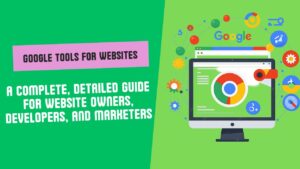


Google Tools for Websites: A Complete, Detailed Guide for Website Owners, Developers, and Marketers
Websites aren’t just a group of web pages anymore. A business asset, a marketing channel, a communications platform, a sales machine; it often serves as the first point of contact between customers and brands. This could be a personal blog, business website, eCommerce store, portfolio site, news channel, or service-based website - you need the right tools to manage it and measure its performance so you can improve it and grow more.
Google has trained the entire team of website owners with various tools that provide tons of useful insights into how your website is performing, what users are doing on it, how search engines treat its visibility & speed, and how to improve traffic and revenue. These are helpful tools for beginners, small business people, digital marketers, SEO professionals, web designers and developers, bloggers, and also large businesses.
The good news is that lots of tools for websites from Google are free. From simple and beginner-friendly to advanced (for professionals) ones. Using them allows you to create a solid online following and make decisions based on actual data rather than half-baked guesswork.
This blog will focus on the most significant Google tools, looking into what is their purpose and why they can benefit your website.
Google Search Console
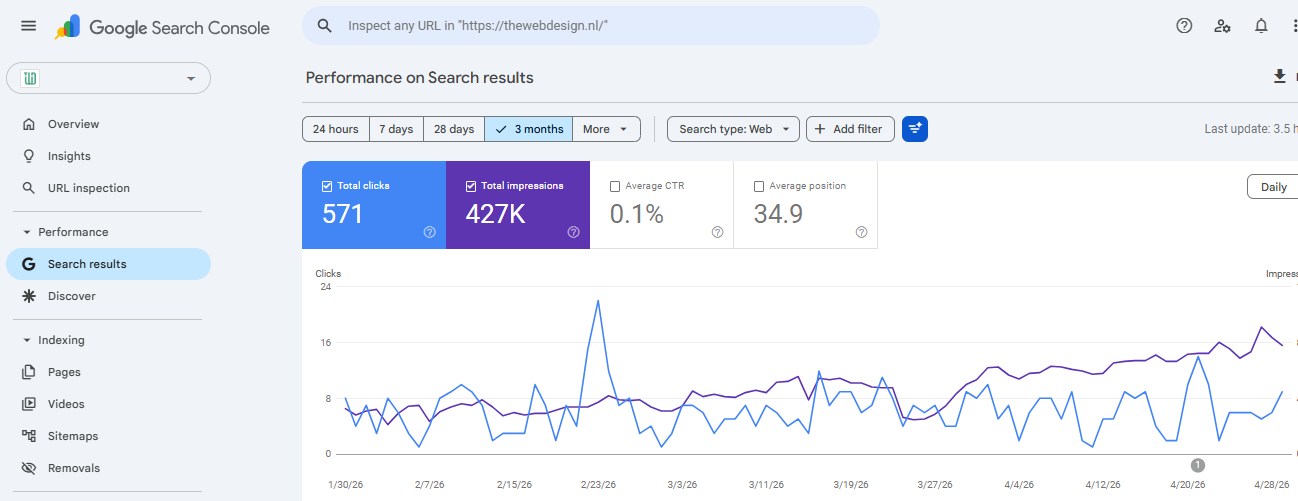
Google Search Console one of the most important tools for every site owner. It helps you see how your site appears on Google Search, and whether Google can crawl, index, and display your pages as intended.
The general idea of creating a website is to attract visitors. One of the best traffic sources you can get is Google Search. That it is out there on the web does not mean that Google will notice or index it. This is exactly where you can shout out Google Search Console to fill that gap.
This is where you monitor the various keyword terms that people may search to find you on Google. Check how many clicks your pages managed to receive, how often they were displayed, and the average position of them. The reality is that you possess gold because it tells you what already works.
For instance, you might find that one of your posts is struggling with impressions but not clicks. Bad title or meta description might be the reason for this. You might even find that some keywords are ranking on the second page of Google. Those pages could rise higher with a slight bit of optimization - and more traffic.
Via Search Console, you can pinpoint technical SEO issues as well. It can highlight issues with indexing, mobile usability, sitemaps, security, and page experience warnings. If Google has any issues crawling or indexing your website, then your content may not be shown in search results at all. This is where Search Console becomes integral.
Sitemap submission is another crucial factor here. Sitemap: A sitemap is a file that lists the paths of a few important pages. By subscribing your sitemap to Google Search Console, you can make it much easier for Google to discover your content as soon as possible.
Not only is Expert SEO using Google Search Console, but it is also a must-use tool by every website owner, as it gives you direct feedback from Google about the health and visibility of a website.
Google Analytics
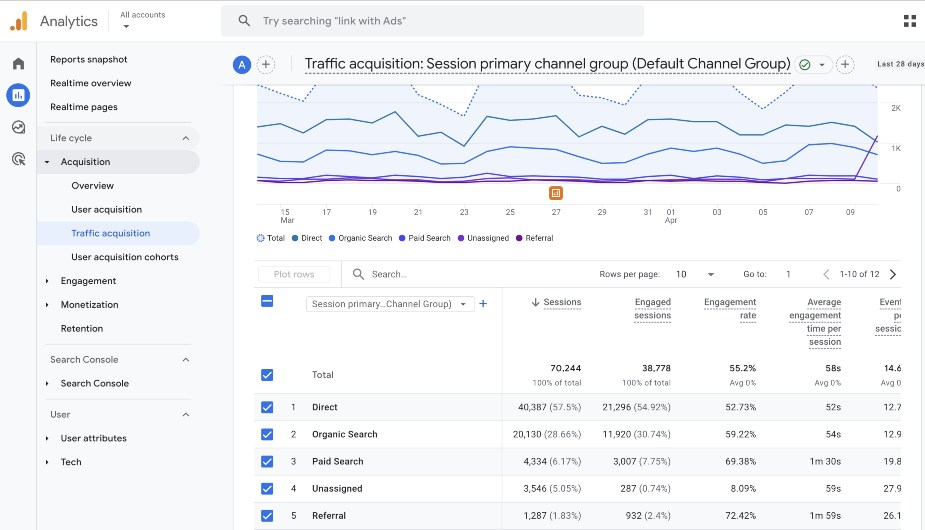
Google Analytics is yet another must-have Google tool for websites. Search Console shows you how your website is performing in Google Search, and Google Analytics tells you what visitors do once they reach your website.
It helps answer questions like:
- Web Visitors: Number of visitors to your website
- Where did they come from?
- Which pages did they visit?
- How long did they stay?
- Did they fill out a form, make a purchase, or click on a button?
- What marketing channel drives the most high-quality traffic?
Such information matters because user behaviour determines whether a website is successful or not. A website can get thousands of visitors, but if those visitors leave quickly (bounce rate ) or do not take action on the page, then there is something to improve.
Google Analytics is your understanding of who the user is. Visitor locations, devices, browsers, traffic sources, and engagement patterns are all on display. If a mobile phone accounts for most of your traffic, then your website should be. If users bounce off of a given page, that page could use some improvement in its content, design, cargo speed, or where it directs visitors to next in terms of conversion goals.
Google Analytics is also useful for following conversions. A conversion is what you want users to do. They might fill out a contact form, sign up for a newsletter, download a file, buy something, or book an appointment.
If you don't have analytics, you're taking a guess. Google Analytics enables you to track what occurs and optimize your website based on true data.
Google Tag Manager
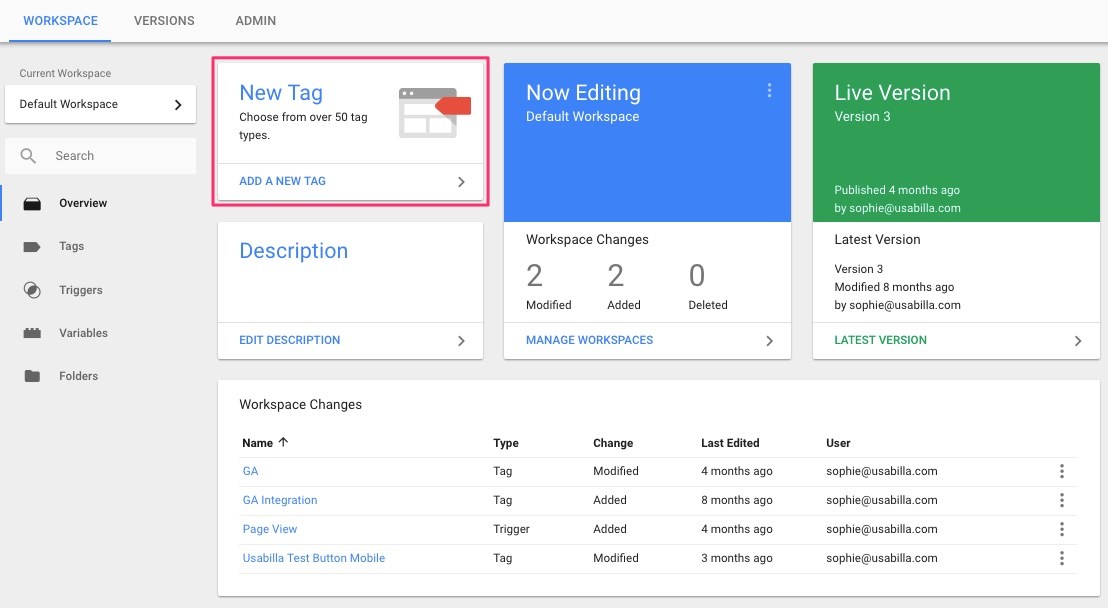
Google Tag Manager is a tag management system that allows you to manage the tracking codes on your website with no modifications needed in the website code each time.
Most websites are made up of many tracking codes & text tags. This would be the Google Analytics tracking, Google Ads conversion tracking, Facebook Pixel, remarketing tags, event tracking, and any other marketing scripts found in the body. If we entered all of these manually, this could create a cumbersome and unsafe environment for non-developers.
This is where Google Tag Manager comes in because this platform allows you to manage your tags in one place. You once put Google Tag Manager on your site. Once done, you can add, edit, and remove tracking tags from the Tag Manager dashboard.
This makes a lot of sense for marketers as they do not have to check in with a developer every time they want to measure whether someone clicks on this button or fills out that form. It also helps developers as it maintains cleaner code on the website.
Google Tag Manager – learn how this tool can write not for your life; it can track many actions of users:
- Button clicks
- Form submissions
- File downloads
- Video views
- Scroll depth
- Outbound link clicks
- Product purchases
- Newsletter signups
Let us say you want to track how many people click the “Contact Us” button on your homepage. Using Google Tag Manager, you can make an event tracking this click and send it to Google Analytics.
Google Tag Manager is a must-have for serious site marketing. This allows you flexibility while also saving time and increasing tracking accuracy.
Google PageSpeed Insights
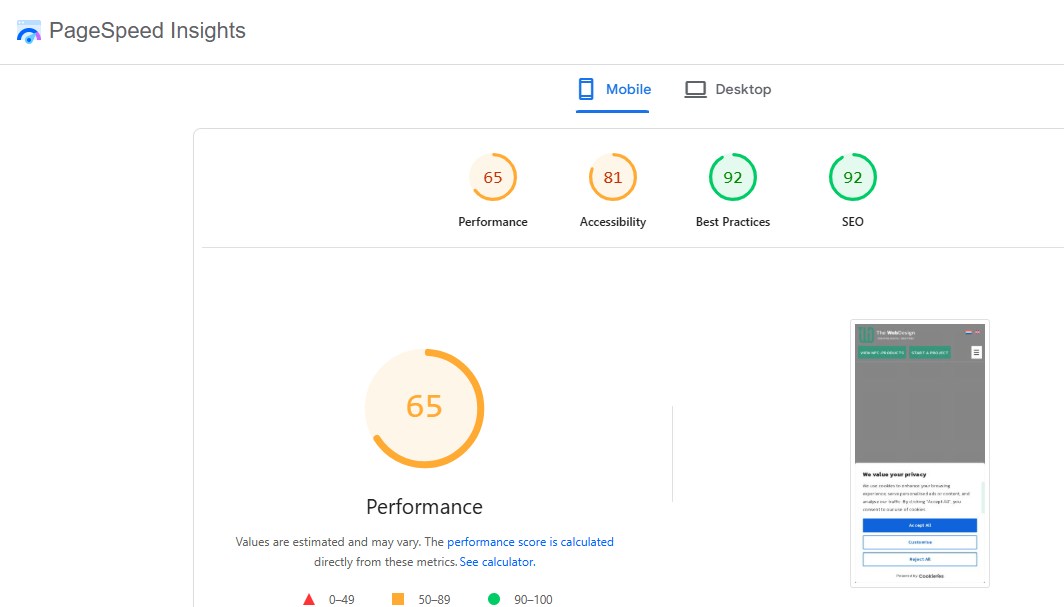
The speed of a site or website is one of the prime aspects associated with user experience. Slow Websites Are Unpopular. Users will abandon your page if it takes too long to load your content. You know that; if a website is slow and takes longer to load, it will also affect conversions and search.
This is where Google PageSpeed Insights comes to play - it enables you to check how fast your site is and how well it loads the content. Just enter a URL, and this tool will give you an overall score by which you can analyze the performance and suggestions to do something with it.
This tracks both mobile and desktop performance. This is likely due to the website being very fast on mobile, but incredibly slow on desktop! Mobile performance is a crucial fact since most of the users browse from phones.
PageSpeed Insights also tracks Core Web Vitals. They are execution measurements that qualify the genuine user experience. These are three of them: loading speed, interactivity, and visual stability.
For example, if your site has large images on it, PageSpeed Insights may recommend compressing these images or serving them in more modern formats. It may tell the page what scripts to drop because of excess unused JavaScript. It can warn you about visual stability if the content of your layout shifts during load.
Common recommendations include:
- Optimize images
- Reduce unused JavaScript
- Enable browser caching
- Improve server response time
- Minify CSS and JavaScript
- Use lazy loading
- Avoid large layout shifts
- Use efficient fonts
PageSpeed Insights is especially useful for web designers and developers because it gives practical technical suggestions. But even non-technical website owners can use it to understand whether their site is fast or slow.
A fast website creates a better experience, helps visitors stay longer, and can improve business results.
Google Lighthouse
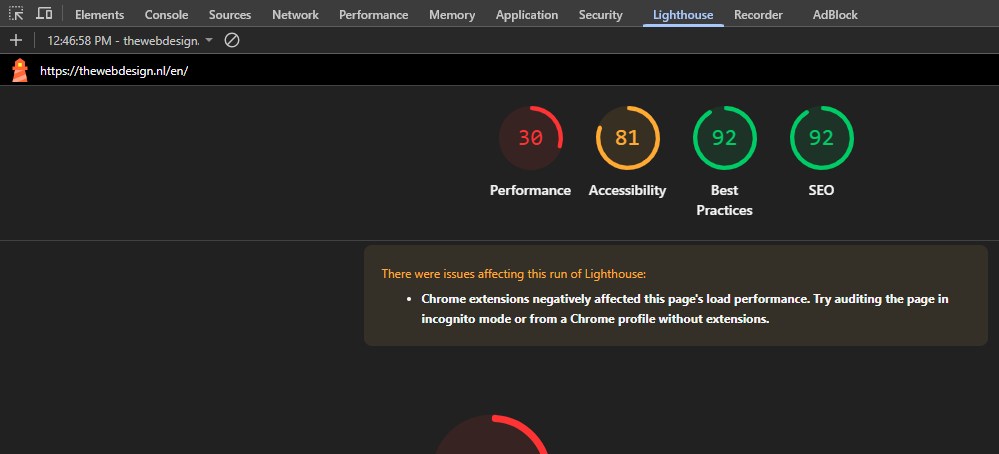
It is an inbuilt auditing tool of Chrome DevTools. According to its website, it audits a web page for performance, accessibility, SEO best practices, and progressive web apps.
PageSpeed Insights is focused primarily on speed and Core Web Vitals, whereas Lighthouse surpasses it to give a more overall technical audit of a page.
This is what makes lighthouse reports useful because they tend to expose issues that you would not notice while browsing regularly. A website can look fantastic but still have accessibility issues, missing SEO tags, poor performance, or technical errors.
The main Lighthouse categories are:
- Performance
- Accessibility
- Best Practices
- SEO
- Progressive Web App
Accessibility is especially important. It sees if your website can be used by disabled people. This may, for example, occur if images do not have alt text, if there is poor contrast in the text, or if buttons that do not have accessible names or form labels are missing.
The SEO portion validates a few basic search engine optimization things, including whether the page has a title tag, a meaningful meta description, crawlable links, and proper status codes.
When you are busy developing your website, Lighthouse is very advantageous. Audits can be run by developers before deploying a website to ensure the page is of appropriate quality for modern times.
Google Business Profile
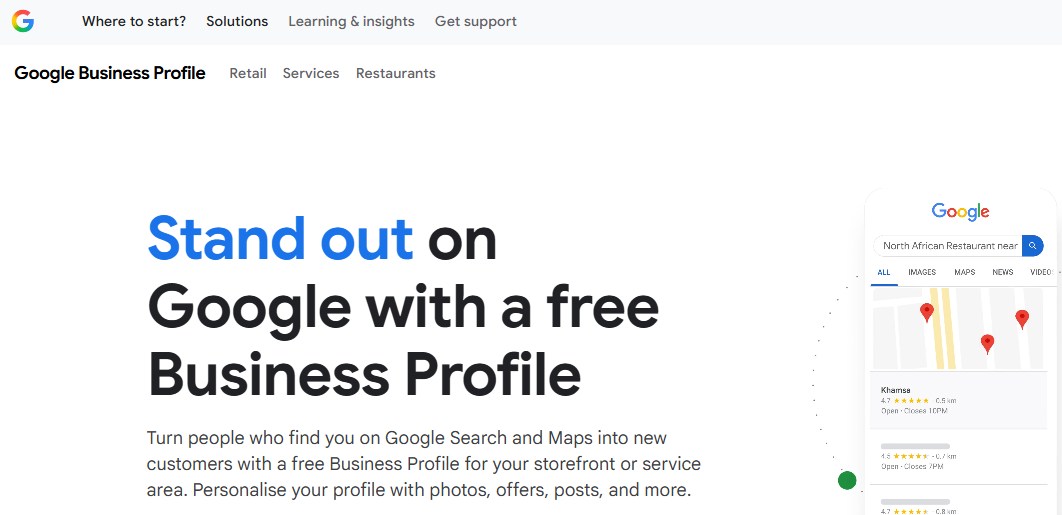
Google My Business is vital for local businesses. This is the tool for your business to show up on Google Search and Google Maps, if you have a local company or agency of any kind, like shops, clinics, restaurants, salons, or service-based businesses.
Google local business listings generally show up if people are searching for services near them. Google Business Profiles can display your name, address, telephone number, websites, hours of operation, reviews, photographs, and directions to your location.
For example, if someone searches “web design company near me” or “best dentist in the Netherlands,” Google may show local listings. Having an optimized Google Business Profile improves your chances of appearing in those results.
A good profile should include:
- Accurate business name
- Correct address
- Phone number
- Website link
- Business category
- Opening hours
- Photos
- Services
- Products
- Customer reviews
- Regular updates
Reviews are especially important. Consumer trust is bolstered by positive reviews, and the likelihood of customer engagement is influenced. Firms ought to persuade happy consumers to leave sincere critiques, and they should respond professionally to each poor and negative review.
Insights are also available via Google Business Profile. You will have access to total search queries, how many visited your listing, how many called your business, how many clicked on your website, and, of course, who requested directions.
For local SEO, Google Business Profile is one of the most valuable tools available.
Google Ads
Google Ads is Google’s advertising platform. In this way, businesses can display paid ads on Google Search, YouTube, Gmail, Google Maps, and across the Google Display Network.
SEO is a long-term strategy, as opposed to Google Ads, which can generate traffic quickly. Meaning it is beneficial in new site launches, product launches, seasonal campaigns, lead generation, and highly competitive industries.
The targeting parameters with Google Ads are based on users: you can reach them through keywords, location, interests, demographics, devices, and behavior. So a web design agency can target people searching for “website development company” or “ecommerce website designer.”
There are different types of Google Ads campaigns:
- Search ads
- Display ads
- Shopping ads
- Video ads
- App ads
- Performance Max campaigns
- Remarketing campaigns
Search ads show up as a result of user search keywords. Display ads are banners that can be shown to you on websites and apps. Search ads work great for e-commerce. Video ads run on YouTube. Remarketing ads target those who have previously been on your site.
Note that Google Ads is coming along with Google Analytics and conversion tracking. Without tracking, you waste money without knowing which campaigns yield an outcome.
Running a successful Google Ads campaign includes solid keyword research, landing pages that convert, compelling ad copy, smart targeting, and optimising the ads regularly. It is not only about clicks; it is about the proper clicks.
Google Keyword Planner
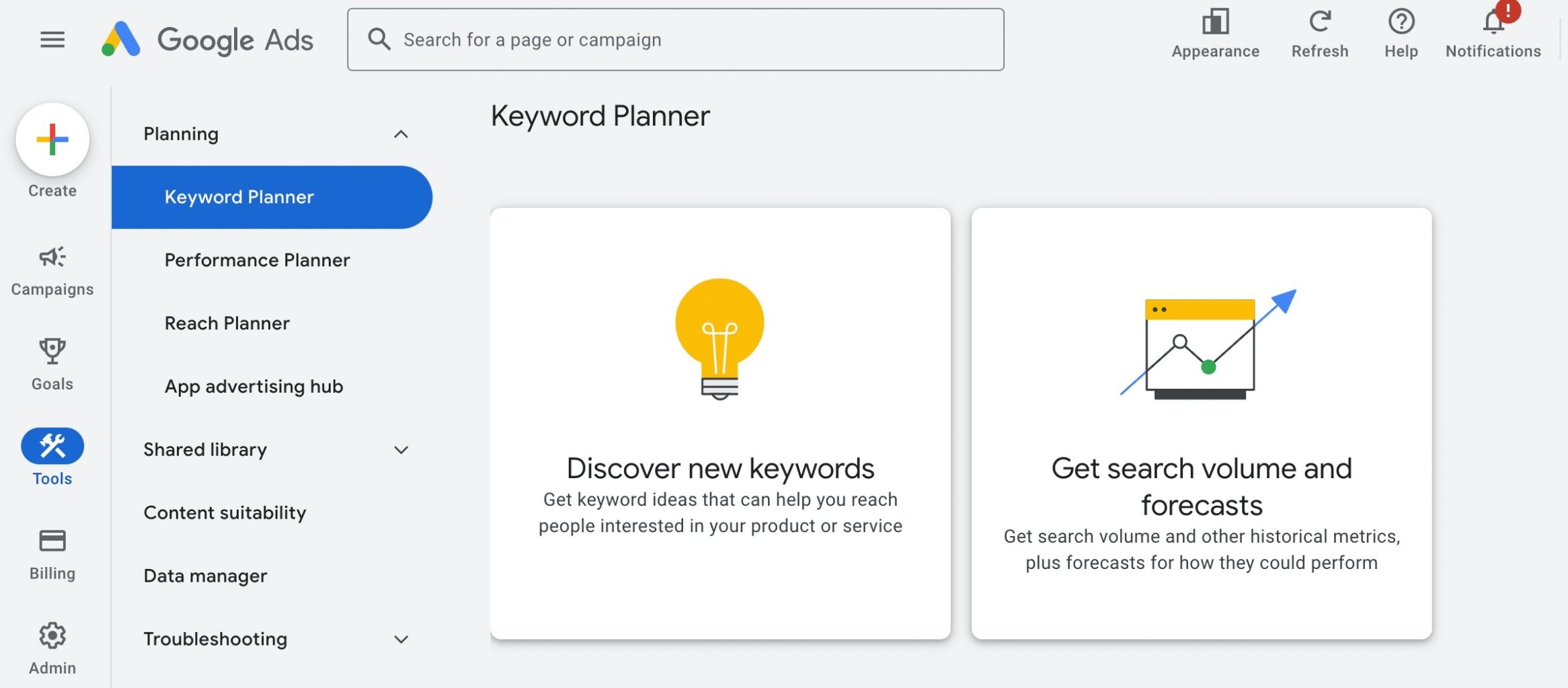
Google Keyword Planner is a keyword research tool available in Google Ads. This tool is more focused on advertisers, but it can still be valuable for SEO-ing and Content purposes.
Keyword research is the groundwork of SEO and paid advertising. Not knowing what people search for makes it challenging to write content that gets visited.
Welcome to Google Keyword Planner (actually one of the most important key tools). It shows you estimated search volume, competition, and CPC ranges.
For example, if you run a website design company, you may search for keywords like:
- website design services
- web development company
- ecommerce website design
- WordPress website designer
- SEO-friendly website design
Next, the tool might recommend related terms for you to include in blog articles, landing pages, service pages, and advertising campaigns.
Why: It is useful because it provides info about what people are searching for. For instance, some keywords sound relevant but only have a tiny search volume. Some keywords are highly searched but very competitive. The key is to get keywords aligned with user intent and business goals.
If you do content marketing, Keyword Planner can help plan blog topics. In advertising, it's useful for gauging potential cost and competition.
Google Trends
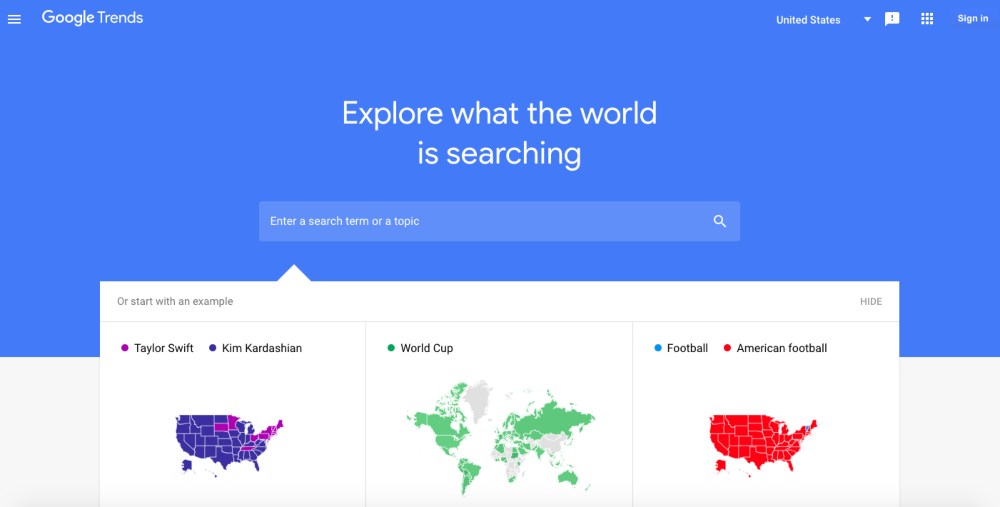
Google Trends analyses the changes in search interest over time. Helpful for popularity, seasonality, and trending topics.
Google Trends gives you relative interest; it's different from AdWords keyword planner, which tells data based on keywords that people searched. It allows you to compare topics and find out if interest is increasing or fading.
If you search for the words AI website builder and traditional web design, for instance, you will see the trends or fluctuations in these topics over time. This can benefit your suggestion for the content or service you need to promote.
The Google Trends tool can also help seasonal businesses. Keywords that trend in specific months, such as Christmas gifts (which rise in the lead-up to December), and tax filing (where things spike during tax season).
Website owners can use Google Trends to:
- Find trending topics
- Compare keyword popularity
- Understand seasonal demand
- Discover regional interest
- Plan content calendars
- Identify rising search queries
For bloggers and publishers, Google Trends is especially valuable because it helps identify topics people are currently interested in.
Google AdSense
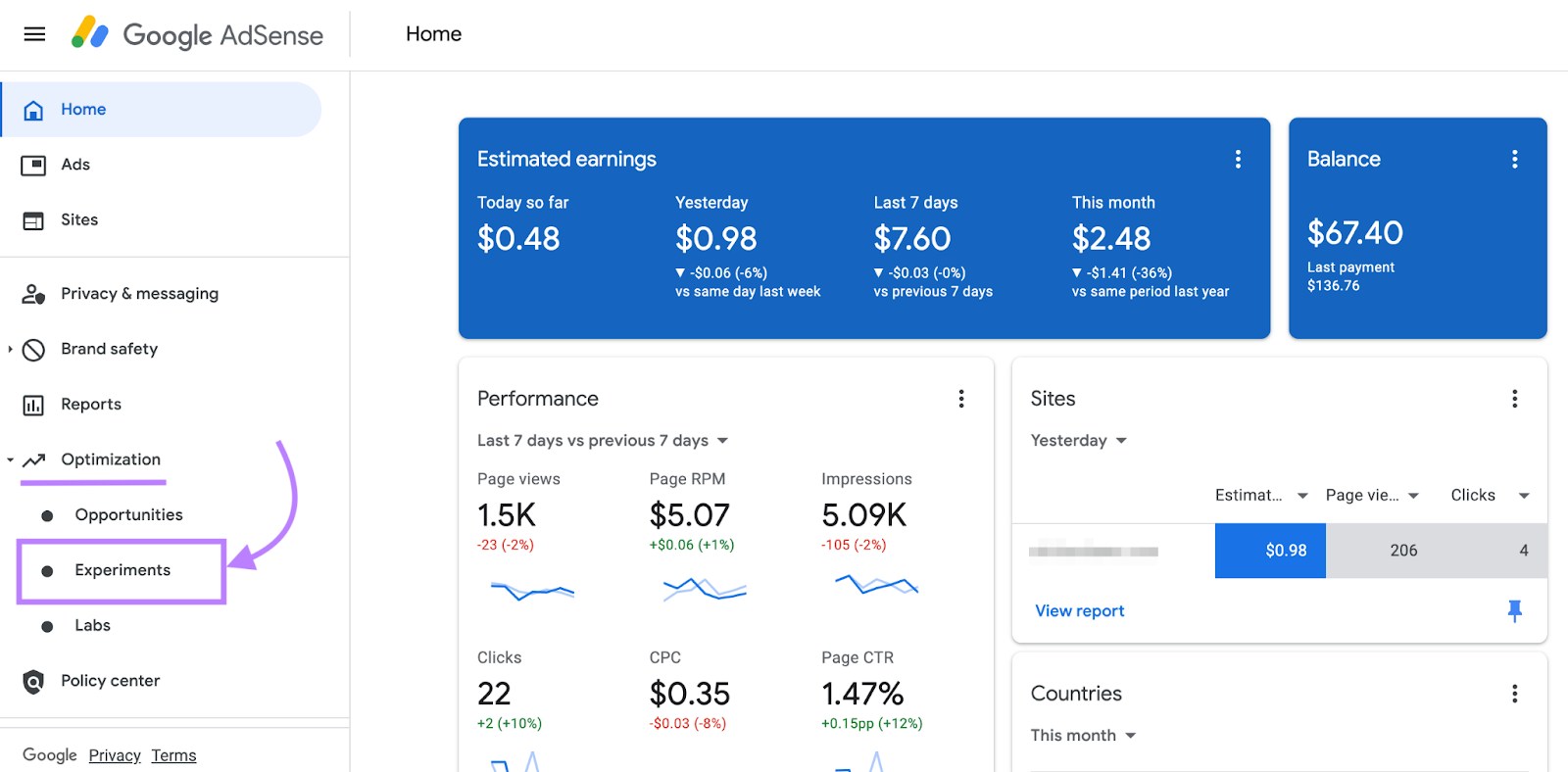
Google AdSense is a monetization tool that allows website owners to earn money by displaying ads on their websites.
It is widely used by bloggers, news websites, educational sites, and content publishers. When approved, Google will then display relevant ads on your site. Depending on the ad type, you make money when people view or interact with those ads.
AdSense is easier to set up than selling your own ad space directly, which is why it has become a popular choice. Google manages the relationships between advertisers, what advertisements are served, and paid.
However, AdSense works effectively when your website has good traffic. Most websites that have very little traffic will also make very little. Now the earnings also depend on many factors such as the quality of traffic, niche, location of visitors, and ad placement.
To succeed with AdSense, website owners should focus on:
- Publishing high-quality content
- Following Google policies
- Improving user experience
- Increasing organic traffic
- Avoiding excessive ads
- Placing ads naturally
- Improving page speed
Too many ads can harm user experience. A good website balances monetization with readability and trust.
AdSense is not suitable for every website, but for content-heavy platforms, it can become a useful income source.
Google Merchant Center
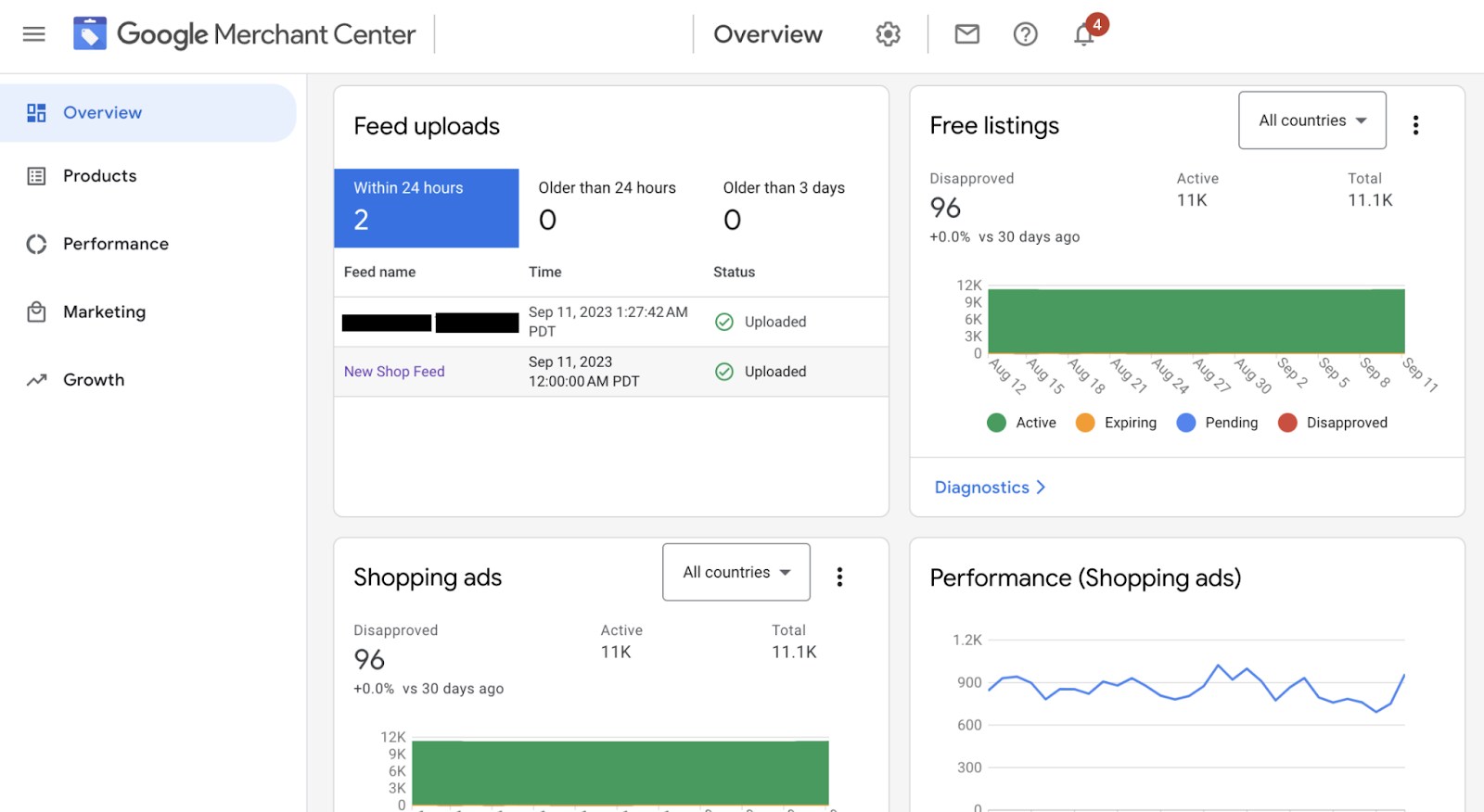
Google Merchant Center is primarily used by e-commerce websites. A Google Merchant Center account allows businesses to upload product data to Google, for their products to be shown across Google Shopping, Google Search, and other services from Google.
Support for your online business - If you have an eCommerce store, Merchant Center will get your products in front of customers looking to buy.
Product data usually includes:
- Product title
- Description
- Price
- Availability
- Images
- Brand
- SKU
- Shipping details
- Return policy
- Product category
The Merchant Center works in conjunction with Google Ads. Merchant Center offers product feeds that can be used by businesses for Shopping Ads and Performance Max campaigns.
Topping the list is product feed quality. Poor product titles, poor images, incorrect prices, or outdated availability cause the ads to perform badly or be disapproved.
Google Merchant Center is an important vehicle for e-commerce websites because it acts as the bridge between your product catalog and Google Shopping.
Google Looker Studio
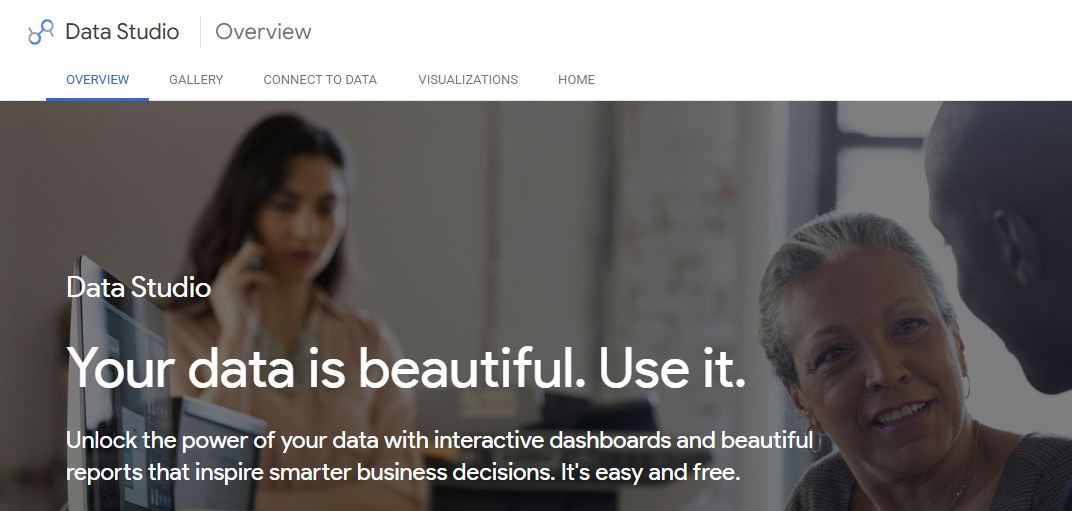
Google Looker Studio (formerly Google Data Studio) - Reporting & dashboard tool. It will assist you in converting the data to graphical reports.
Most website owners utilize multiple tools at the same time. You see traffic in Google Analytics, search performance in Search Console, ad data in Google Ads, and lots of spreadsheets maybe contain sales or leads. It can also take an eternity because you have to look at each platform individually.
Looker Studio solves this by bringing data together into dashboards.
You can create reports showing:
- Website traffic
- SEO performance
- Keyword clicks
- Ad campaign results
- Conversions
- Sales data
- Lead generation
- Page performance
- Monthly growth
These reports can be customized with charts, tables, scorecards, filters, and date ranges. They can also be shared with clients, team members, or management.
For digital marketing agencies, Looker Studio is very useful because it allows them to create professional reports for clients. Instead of manually preparing reports every month, they can create live dashboards that update automatically.
Looker Studio helps turn raw data into clear insights.
Google Fonts
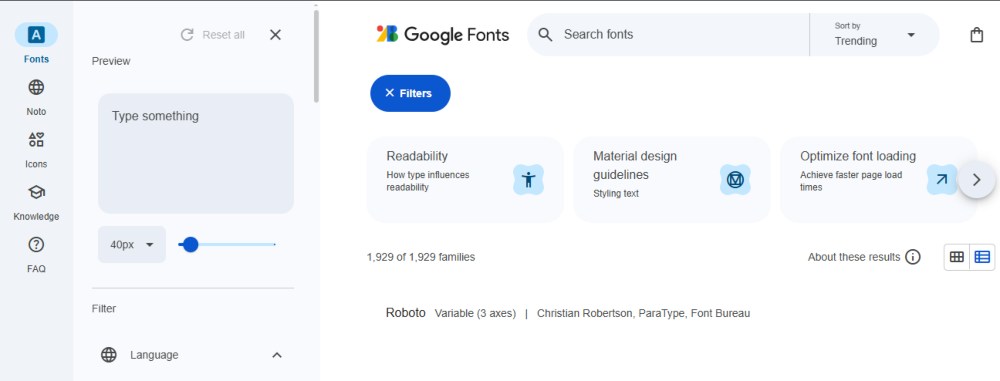
Google Fonts is an online font directory that offers a free collection of web fonts to use within websites. A suitable typeface can transform a website to appear professional, contemporary, classy, jovial, or creative.
Google Fonts is one of the best free font family collections that can easily be embedded in your website. Some popular fonts are Roboto, Open Sans, Lato, Montserrat, Poppins, Inter, Merriweather, and Playfair Display.
Using Google Fonts is helpful because:
- They are free
- They are web-friendly
- They work across devices
- They are easy to implement
- They offer many style options
However, website owners should use fonts carefully. Too many font files can slow down a website. It is better to choose one or two font families and only load the required weights.
For example, instead of loading every style of a font, you may only need regular, medium, and bold. This improves performance while keeping the design attractive.
Good typography improves readability, branding, and user experience.
Google Maps Platform
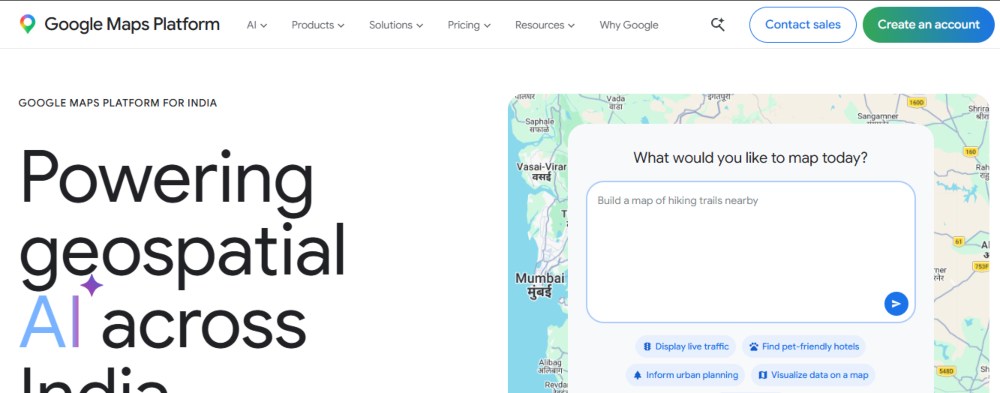
With Google Maps Platform, website owners can embed maps and location search, directions, and places information into websites/applications.
It helps local businesses, real-time sites, delivery websites, travel website pages, and event website pages work great.
For example, a business website could use Google Maps to display its office location. A real estate website might include maps to show property locations. Maps can also be used in delivery apps for route planning, and travel websites can display attractions, hotels, and nearby places.
Google Maps features include:
- Embedded maps
- Location markers
- Directions
- Distance calculation
- Place search
- Geocoding
- Street View
- Route optimization
For basic use, many websites simply embed a Google Map on the contact page. This helps users find the business easily.
For advanced use, developers can use Google Maps APIs to build custom map-based experiences.
Google reCAPTCHA
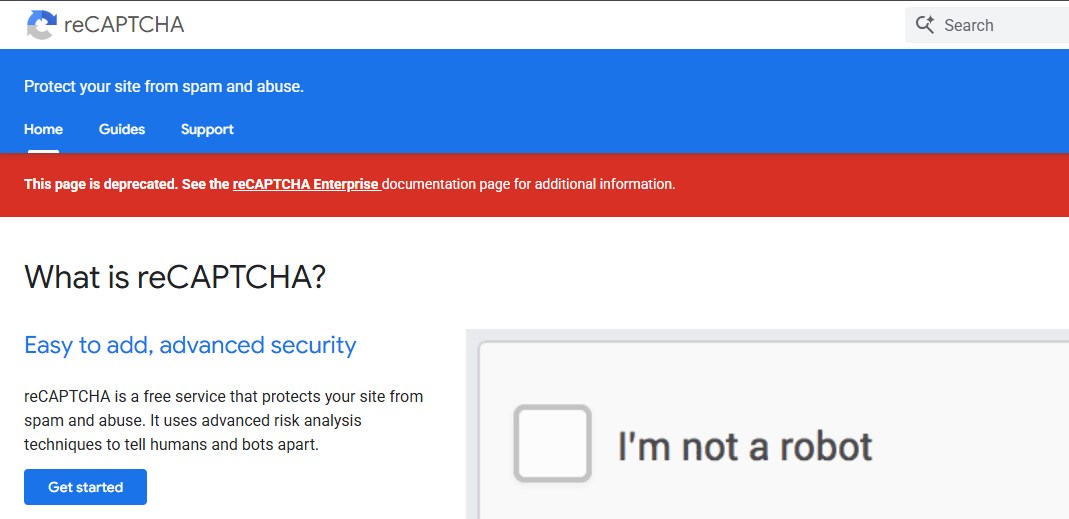
Websites face a common problem of spam. Bots can also target contact forms, login pages, comment sections, and registration forms. Google reCAPTCHA helps protect your site against spam and abuse.
reCAPTCHA verifies whether a user is human or a bot. Earlier versions asked users to select images or check a box. Newer versions can analyze user actions in the background and assign a risk score.
This tool is useful for:
- Contact forms
- Login forms
- Signup pages
- Comment sections
- Checkout pages
- Password reset forms
Without spam protection, websites may receive fake form submissions, bot registrations, malicious login attempts, or unwanted comments.
reCAPTCHA improves security while keeping forms usable for real visitors.
Google Workspace Tools for Website Teams
Google Workspace tools are not technically website tools, but they are very powerful for website project management.
The process of building a website typically includes steps like planning, writing, designing, reviewing, communicating, and collaborating. Tools such as Google Docs, Sheets, Drive, Meet, Calendar, and Gmail assist teams in organising this process individually.
Blog Writing: Google Docs can help you write blogs, website copy, content briefs, project notes, and proposals. Google Sheets can be used for keyword research, content calendars, SEO audits, backlink tracking, and lead tracking. Google Drive can store images, documents, videos, brand assets, and website backups. With Google Meet, teams can discuss design, development, and marketing matters. Google Calendar helps organize launches, content publishing, meeting schedules, and campaign deadlines.
For agencies and businesses, these tools keep website projects organized.
Google Chrome DevTools
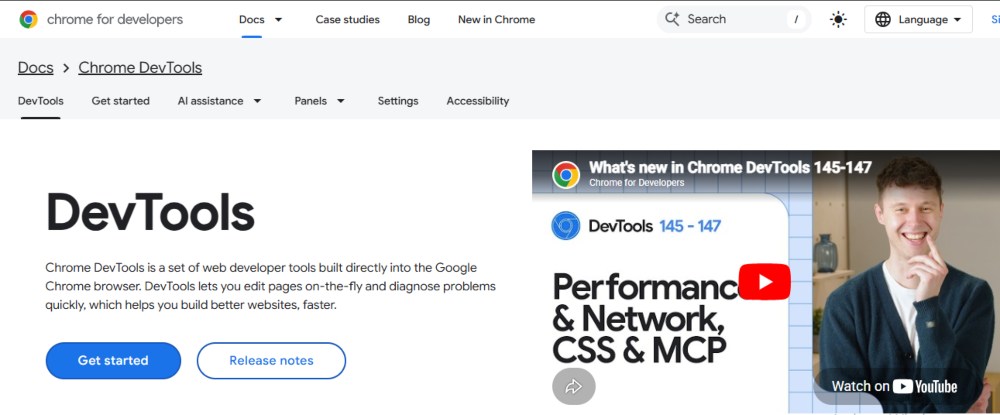
Google Chrome DevTools is a set of developer tools built into the Chrome browser. It helps developers inspect, debug, and improve websites.
In DevTools, developers can inspect HTML/CSS, test responsive design, debug JavaScript, monitor network requests, analyze performance, check console errors, and test page loading behavior.
For example, if a button does not work, a developer can use the Console panel to check for JavaScript errors. The device toolbar can simulate different screen sizes if a page does not display correctly on mobile. The Network panel can show which files are slow to load if the page takes too long.
Chrome DevTools is one of the most important tools for frontend developers and web designers.
It helps identify problems quickly and improve the quality of a website.
Google Structured Data Tools
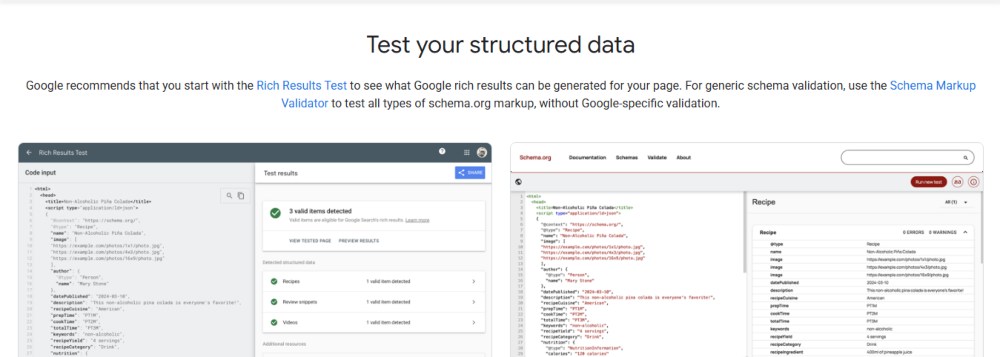
Structured data helps search engines understand the content of a page better. It can also help websites become eligible for rich results in Google Search.
Rich results could include things like star ratings, FAQs, recipes, product information, event details, breadcrumbs, and other enhanced search appearances.
Google provides tools to validate structured data, including the Rich Results Test.
Structured data can be used on e-commerce product pages to describe price, availability, and reviews. It can also be used in blog posts with article schema and for local businesses using local business schema.
Structured data does not guarantee rich results, but it helps search engines better understand your content.
For SEO, structured data is an important technical enhancement.
Google Alerts
Google Alerts helps monitor the web for specific keywords. You can create alerts for your brand name, competitors, industry topics, product names, or important keywords.
Whenever Google finds new content related to your alert, it can send you an email.
Website owners can use Google Alerts for:
- Brand monitoring
- Competitor tracking
- Content ideas
- Reputation management
- Industry news
- Backlink opportunities
For example, if your company name appears on another website, Google Alerts may notify you. If someone writes about your industry, you may discover a content opportunity. If a competitor launches something new, you may become aware of it.
Although Google Alerts is simple, it is very useful for staying informed.
YouTube for Website Growth
YouTube (owned by Google) is a huge asset for growing a website. Businesses use YouTube to engage audiences, demonstrate products, build trust, and generate traffic to their websites.
You can embed videos within pages of your website and blog posts. This creates more engaging content and helps increase time spent on the page.
A website design company might create videos about planning a website, SEO basics, e-commerce design, or WordPress tutorials. These videos can attract viewers on YouTube and direct them to the company’s website.
YouTube can support websites by:
- Increasing brand visibility
- Educating customers
- Improving engagement
- Driving referral traffic
- Supporting product demos
- Building authority
- Helping with tutorials
Video content is especially useful for complex topics because people often prefer watching explanations instead of reading long text.
Firebase
Firebase is a Google-owned platform that provides tools to build web and mobile applications. It is helpful for developers who need backend services without creating everything from the ground up.
Firebase is a collection of tools that includes authentication, hosting, databases, cloud functions, analytics, messaging, and more.
Firebase for web:
- Using Firebase in websites and web apps
- User login systems
- Real-time databases
- Web app hosting
- Push notifications
- Serverless functions
- App analytics
- A/B testing
- Crash reporting
It is fast and secure. Firebase Hosting is a complete solution, making it useful for static websites, single-page applications, and modern web apps.
Firebase helps developers save time by providing ready-to-use backend features, making it ideal for building interactive websites and web applications.
Google Cloud Platform
Google Cloud Platform (GCP) is a suite of cloud computing services used for hosting, storage, databases, machine learning, APIs, security, and large-scale infrastructure.
Shared hosting might be enough for small websites in the beginning, but larger websites and applications require more powerful cloud infrastructure. Google Cloud offers scalable solutions that provide reliability and high performance.
Google Cloud can be used for:
- Website hosting
- Application hosting
- Cloud storage
- Databases
- APIs
- Machine learning
- Data processing
- Security
- Load balancing
- Content delivery
For example, a large e-commerce website may use Google Cloud to handle high traffic during sales. A web application may use Google Cloud databases and compute services. A media website may use cloud storage for large files.
Google Cloud is more advanced than many other Google website tools, but it is extremely powerful for businesses with technical needs.
Google Domains and Website Identity
Google Domains was previously used for buying and managing domain names. While domain services have changed over time, the concept remains important: every website needs a strong domain identity.
A domain name is the address of your website. It affects branding, trust, memorability, and sometimes SEO perception.
When choosing a domain, website owners should consider:
- Short and clear names
- Easy spelling
- Relevant keywords if natural
- Brand consistency
- Avoiding confusing numbers or hyphens
- Choosing the right extension
- Protecting similar domains if needed
Even though domain registration may now be handled through other providers, Google tools still connect deeply with domain verification, Search Console, Workspace email, and business identity.
Google Forms
Google Forms can be useful for simple website interactions. You can embed forms on websites to collect responses without building a custom form system.
Google Forms can be used for:
- Contact forms
- Surveys
- Feedback forms
- Event registrations
- Job applications
- Customer questionnaires
- Lead forms
- Order requests
The answers are stored automatically, and you can connect them with Google Sheets. This makes data management simple and efficient.
However, the appearance of Google Forms may not be as polished as custom-designed forms. For business websites, custom forms are usually better for branding and user experience. Still, Google Forms is a great option for quick, easy, and free data collection.
Google Sheets for Website Management
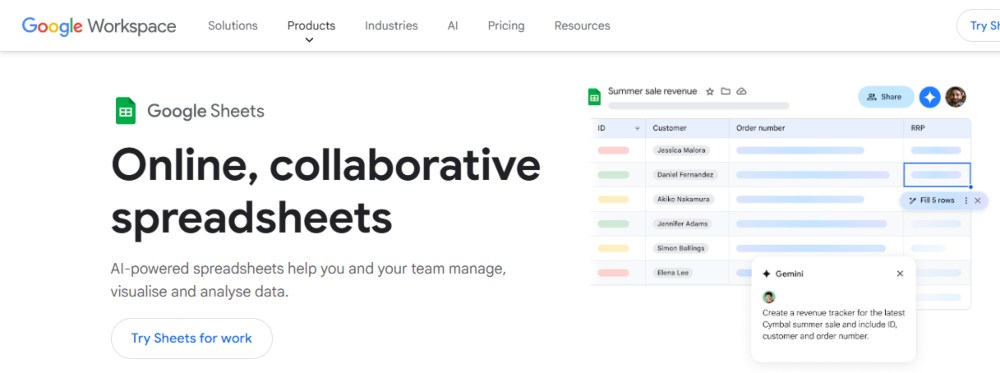
Google Sheets is one of the most underrated tools for website management. It can be used for planning, tracking, analysis, and collaboration.
Website teams use Google Sheets for:
- Keyword research
- SEO audits
- Content calendars
- Blog planning
- Redirect mapping
- Competitor analysis
- Lead tracking
- Website issue tracking
- Product feeds
- Campaign planning
- Backlink records
For example, an SEO team can create a sheet with target keywords, page URLs, search volume, ranking status, and optimization notes. A content team can create a publishing calendar with article titles, authors, deadlines, and status.
Google Sheets is simple but flexible. It becomes even more powerful when combined with Looker Studio, Google Analytics exports, and third-party integrations.
How Google Tools Work Together
The real power of Google tools comes from using them together.
For example, imagine you own a business website.
You start with Google Search Console, which shows you which keywords are bringing impressions and clicks. Then you track in Google Analytics what happens when users land on your site. You use PageSpeed Insights to improve loading speed. You use Google Tag Manager to track button clicks and form submissions. Through Google Ads, you drive targeted paid traffic. Finally, you use Looker Studio to build a dashboard combining SEO, ads, traffic, and conversions in one place.
Each tool solves a different problem, but together they create a complete website growth system.
A good workflow may look like this:
- Search Console tells you how people find your website.
- Analytics tells you how they behave.
- Tag Manager tracks important actions.
- PageSpeed Insights improves performance.
- Keyword Planner helps plan content.
- Google Ads brings paid traffic.
- Looker Studio reports results.
- Google Business Profile improves local visibility.
- reCAPTCHA protects forms.
- Google Maps helps users find your location.
This connected system helps website owners make smarter decisions.
Benefits of Using Google Tools for Websites
Google tools offer many advantages.
- Many of them are free, making them accessible to small businesses, beginners, bloggers, freelancers, and startups.
- They provide reliable data, especially from tools like Search Console that offer direct search performance insights.
- They seamlessly integrate with each other, allowing powerful systems using Google Analytics, Ads, Tag Manager, Looker Studio, and Search Console.
- They support better decision-making by enabling improvements in content, design, marketing, and performance based on data.
- They assist both beginners and professionals, offering simple tools like Google Trends and Forms, as well as advanced tools like Firebase and Google Cloud.
Common Mistakes to Avoid
Although Google tools are powerful, many website owners do not use them correctly.
A common mistake is installing Google Analytics and then never reviewing the reports. Data is only useful if you analyze it and make decisions based on it.
Another mistake is not using Google Search Console regularly. Many website owners ignore it, which can lead to unnoticed indexing errors or SEO issues.
Many focus only on traffic and forget about conversions. If visitors do not contact you, make a purchase, or take meaningful action, traffic alone has little value.
Another mistake is adding too many scripts through Tag Manager. Excessive tracking codes can slow down a website and create data inconsistencies.
Many websites also ignore mobile performance. A site that looks good on desktop may perform poorly on mobile devices.
Another common mistake is using Google Ads without proper conversion tracking. This can waste money because you cannot measure which ads are actually delivering results.
Best Google Tools for Different Types of Websites
If you run a recreational business website, the key tools include Google Search Console, Google Analytics, Google Business Profile, Google Tag Manager, PageSpeed Insights, and Google Ads.
For a blog, you should use Google Search Console, Google Analytics, Google Trends, Keyword Planner, Google AdSense, and Looker Studio.
For an e-commerce website, important tools include Google Analytics, Search Console, Merchant Center, Google Ads, Tag Manager, PageSpeed Insights (or Lighthouse), and reCAPTCHA.
For a local business website, Google Business Profile, Google Maps, Search Console, Google Analytics, and customer reviews are very important.
For a web application, tools like Firebase, Google Cloud, Chrome DevTools, Lighthouse, and Google Analytics are more relevant.
For a digital marketing agency, essential tools include Looker Studio, Google Analytics, Search Console, Google Ads, Tag Manager, Google Sheets, and Google Drive.
FAQs
The most important Google tools are Google Search Console, Google Analytics, Google Tag Manager, PageSpeed Insights, Google Business Profile, Google Ads, and Looker Studio.
Final Thoughts
Google tools for websites are essential for anyone who wants to build, manage, improve, and grow a website. They help with almost every important area of website success, including SEO, analytics, performance, advertising, local visibility, security, reporting, content planning, and development.
A good-looking website is not enough. You need to understand if it is discoverable, if it loads quickly, how users engage with it, whether it converts leads or sales, and how it ranks over time. Google tools help answer all of these questions.
As a beginner, you should start with Google Search Console, Google Analytics, PageSpeed Insights, and Google Business Profile. These tools provide a strong foundation. As your website grows, you can expand into tools like Google Tag Manager, Google Ads, Looker Studio, Merchant Center, Firebase, and Google Cloud.
The most successful website owners are not those who simply publish content and hope for traffic. They are the ones who measure, test, optimize, and continuously improve. Google tools make that possible.
When used correctly, these tools can transform an ordinary website into a powerful digital asset.

Search
Categories
Recent Posts
- 20 Dec, 2024 Building Brand Loyalty: How Custom Mobile Apps Drive Business Success
- 17 Jan, 2025 Designing An Attractive and Truly User-Friendly Website!
- 23 Dec, 2024 Driving Sales Through Online Channels: Transforming Your Business with a Webshop
- 09 Sep, 2024 Enhancing Customer Engagement: The Business Benefits of Mobile App Development
- 23 Dec, 2024 Expanding Market Reach: The Strategic Value of an E-commerce Webshop
- 10 Mar, 2026 Google Review Card: NFC vs QR – What Works Better?
- 01 May, 2026 Google Tools for Websites: A Complete, Detailed Guide for Website Owners, Developers, and Marketers
- 09 Sep, 2024 Harnessing Professional Web Design: Elevating Your Business’s Online Presence
- 13 Jun, 2026 Headless CMS vs Traditional CMS: Which Should Your Business Choose?
- 09 Sep, 2024 How an Online Delivery System Empowers Business Operations
- 07 Aug, 2026 How can a Dutch company get cited in ChatGPT, Gemini, Perplexity, and Copilot answers?
- 18 Sep, 2026 How can I choose a reliable web development company in the Netherlands?
- 07 Sep, 2026 How do I improve local visibility in ChatGPT and Microsoft Copilot, not just Google Maps?
- 20 Jan, 2025 How To Build A Custom Website For Your Business?
- 31 Aug, 2026 How to Choose a Digital Marketing Agency in the Netherlands: Services, Costs and a Practical Checklist
- 20 Jan, 2025 How To Create A Professional Website For Building Online Presence?
- 02 Aug, 2024 How to Plan a Perfect Digital Market
- 25 Jun, 2026 How to Work With a Web Design Agency to Grow Your Online Presence?
- 23 Dec, 2024 Investing in Website Development: Enhancing Customer Engagement and Conversion Rates
- 23 Dec, 2024 Meeting Customer Expectations: The Competitive Edge of an Online Delivery System
- 23 Dec, 2024 Optimizing Logistics: Enhancing Business Agility with an Online Delivery System
- 17 Jan, 2025 Optimizing Your Website with a Website Builder in Amsterdam
- 20 Jul, 2026 Progressive Web Apps (PWA) vs Native Apps
- 22 Apr, 2026 SEO vs GEO: The Future of Search in the Age of AI
- 03 Apr, 2026 The 10 Biggest Mistakes When Building a Website – and How to Avoid Them
- 27 Dec, 2025 The Cost of Getting a Website Made: What You Can Expect in the Netherlands?
- 09 Sep, 2024 The Essential Role of Online Marketing for Businesses
- 20 Dec, 2024 The Power of Digital Storytelling: Leveraging Online Marketing to Connect with Customers
- 23 Dec, 2024 The Strategic Advantage of a Well-Designed Website for Business Growth
- 23 Dec, 2024 Unlocking Market Potential: How Strategic Digital Marketing Propels Business Success
- 09 Sep, 2024 Unlocking Revenue Streams: Establishing an Online Webshop for Your Business
- 06 Jul, 2026 Web Performance Optimisation: Core Web Vitals
- 03 Aug, 2026 What is an E-commerce Website and How Does It Work?
- 27 Mar, 2026 What is sitemap.xml and Why Is It Important for SEO?
- 15 Apr, 2026 What Is the Difference Between Shopify and WordPress?
- 15 Jan, 2026 What Makes a Website Design User-Friendly?
- 30 Jul, 2026 What’s Allowed/Not Allowed With Google Reviews?
- 21 Mar, 2026 What’s Involved in Having a Website Created: A Step – by – Step Guide
- 27 Feb, 2026 What’s Involved in Having a Website Created: A Step-by-Step Guide
- 21 Jan, 2025 Why Consider WordPress for Website Builder?
- 21 Jan, 2025 Why Do Businesses Hire WordPress Website Builder Companies?
- 20 Jan, 2025 Why Does Your Business Need a Local Web Design Agency?
- 12 Aug, 2026 Why Is My WordPress Website Slow and How Can I Fix It?
- 11 Dec, 2025 Why You Should Have a Professional Website Built in 2026: What’s Changing?